How to Clone Your Voice with AI: Free Step-by-Step Guide
What if you never had to record another voiceover again?
That used to be a fantasy. Voice cloning required a recording studio, hours of clean audio, and technical expertise most people didn't have. Not anymore.
Today, you can clone your voice from a browser in seconds — upload a short recording, and the AI builds a digital replica that speaks naturally in your tone and cadence. No downloads. No credit card. Free credits get you started immediately.
Whether you're a content creator tired of re-recording narration, a podcaster scaling up output, or a business owner localizing marketing videos — once you clone your voice, it becomes a reusable production asset. Generate unlimited speech without ever sitting in front of a microphone again.
Here's how to clone your voice in three simple steps, what you can do with it, and how to get the best results.
What Is AI Voice Cloning?
AI voice cloning creates a digital replica of your voice from a short audio sample. You give the AI a few seconds of you speaking, and it builds a mathematical model of what makes your voice unique — your pitch, your timbre, your rhythm, the way you pronounce certain sounds.
The technology behind this is called zero-shot voice cloning. Unlike older approaches that needed hours of training data, modern models are pre-trained on thousands of voices and only need a brief reference clip. When you clone your voice, the AI extracts your vocal fingerprint and applies it to any text you type — speaking naturally with your tone, cadence, and accent.
The global market hit $2.85 billion in 2025 and is projected to reach $19.4 billion by 2032, growing at 31.5% annually. Quality has improved even faster: today's tools achieve 96-98% speaker similarity, meaning casual listeners can't reliably tell the difference between your real voice and your clone.
How to Clone Your Voice in 3 Steps
Here's the workflow using a browser-based tool. No downloads, no GPU, no technical setup.
Step 1: Record or Prepare a Clear Audio Sample
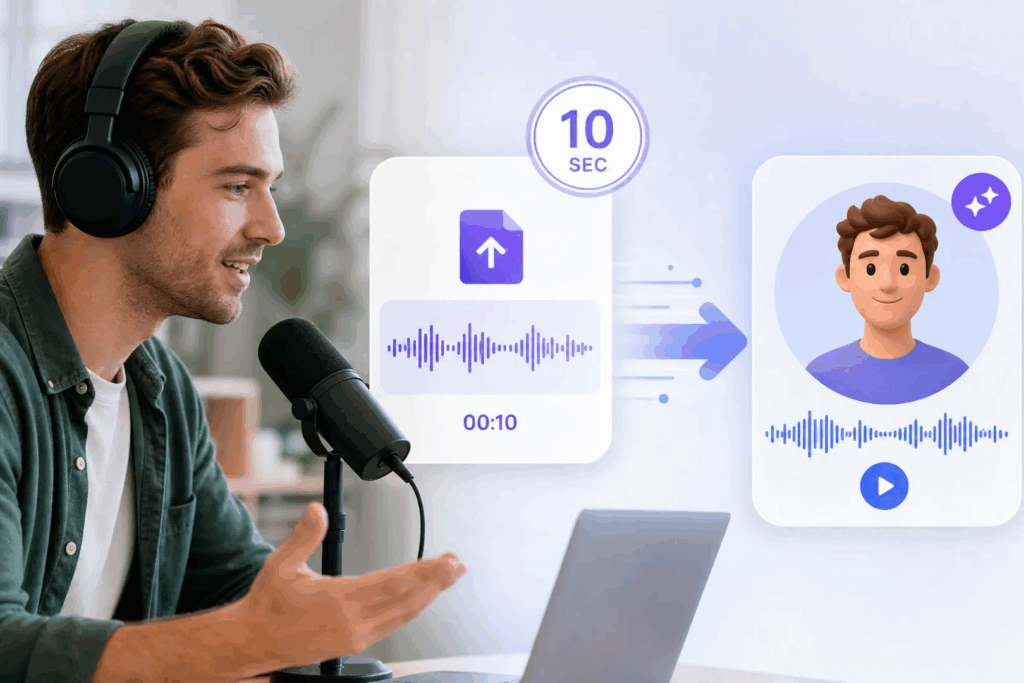
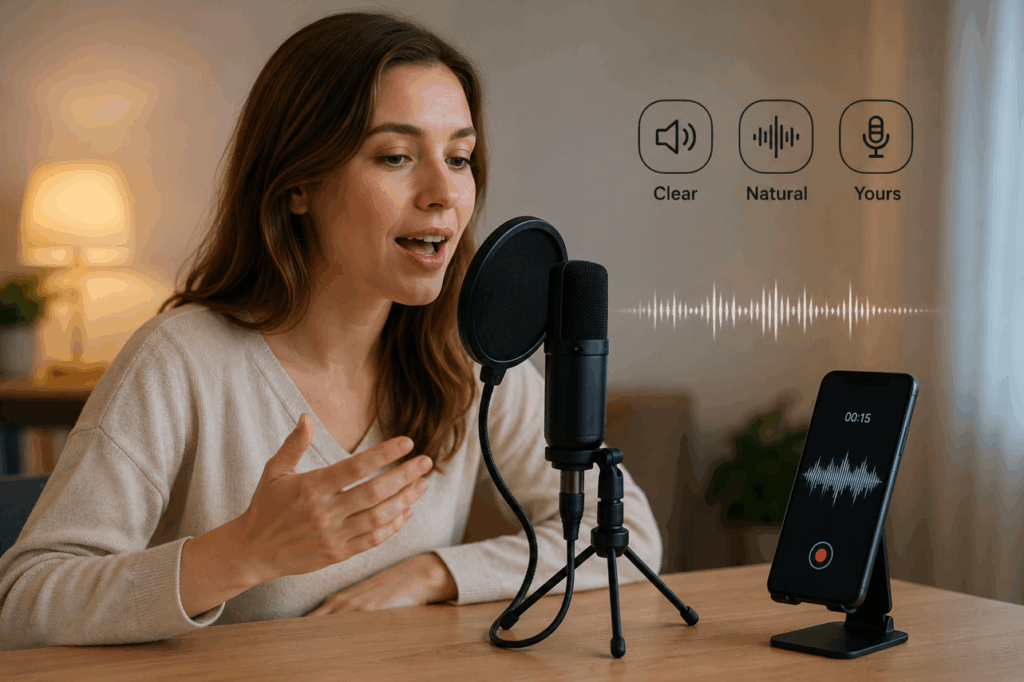
The quality of your cloned voice depends almost entirely on your input audio. You can either record a new sample directly, or use an existing clean recording — a short clip in a quiet environment beats a long, noisy one every time.
What you need:
- A clear audio sample of your voice — either freshly recorded or an existing file (MP3, WAV, or M4A)
- If recording: any microphone works, even your phone's built-in mic
- A quiet, soft-furnished room to avoid echo
- Just a few seconds of natural speech
Tips to get the best result when you clone your voice:
- Speak naturally. Don't perform or put on a "radio voice." Read a paragraph or just talk about your day.
- Avoid background noise. Turn off fans, close windows, silence your phone.
- Vary your sentences. Mix in a question (voice goes up), a statement (voice goes down), and words with distinct sounds. This gives the AI more phonetic range.
- One speaker only. No overlapping voices or background chatter.
A short, clean sample is usually enough. Longer samples (1-3 minutes) help with distinctive accents, but for most people, a brief, well-recorded clip does the job.
Step 2: Upload and Clone Your Voice
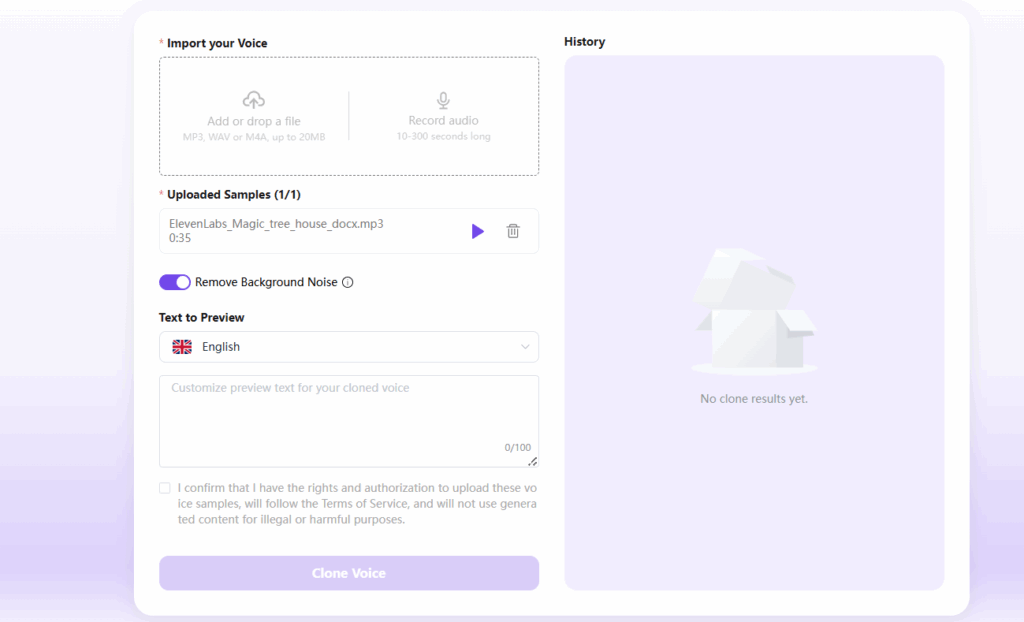
Open AIDubbing's AI Voice Cloning. Upload your audio file (MP3, WAV, or M4A, up to 20MB). New users get free credits to clone their voice and generate speech — no sign-up or credit card required.
The AI processes your sample in under 60 seconds, extracting speaker characteristics and building a voice embedding. There's no training step — the model is pre-trained and just needs your voice as reference. Once done, give your voice profile a name and you're ready to go.
Step 3: Generate Speech
Type any script and click generate. Your cloned voice reads it with natural pacing and intonation. You can adjust the tone — calm for e-learning, warm for podcasts, energetic for social content — then download as MP3 or WAV.
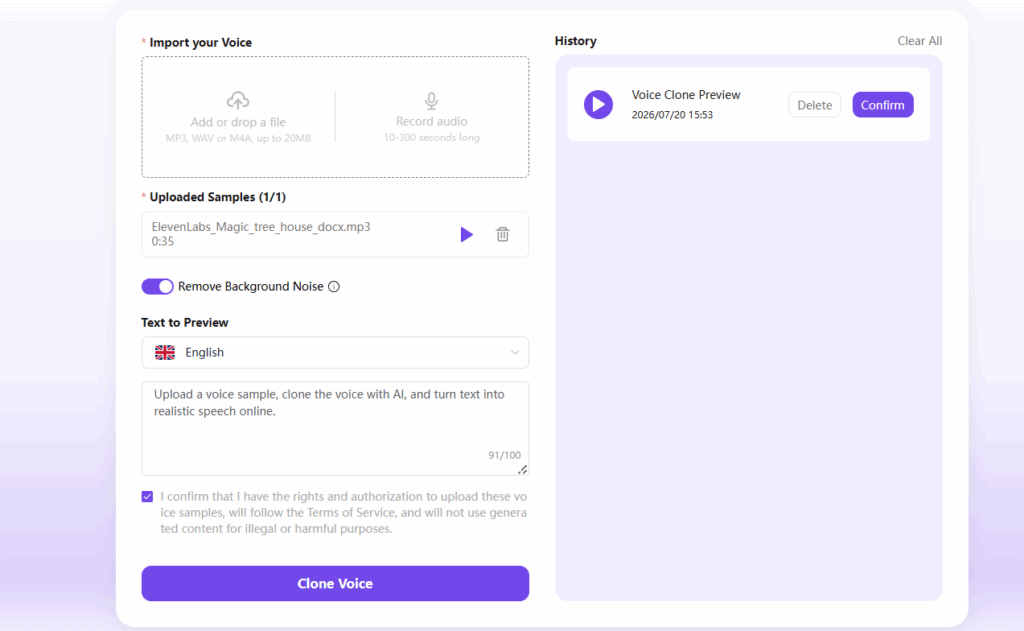
What's different from older tools: Traditional voice cloning meant downloading 2-5GB of software, installing Python, configuring CUDA, and training a model on your GPU for 45 minutes. Browser-based cloning eliminates all of that. You go from "I want to clone my voice" to a working clone in under two minutes.
5 Ways to Use Your Cloned Voice
A voice clone isn't a novelty. It's a production asset.
1. Video Dubbing and Localization
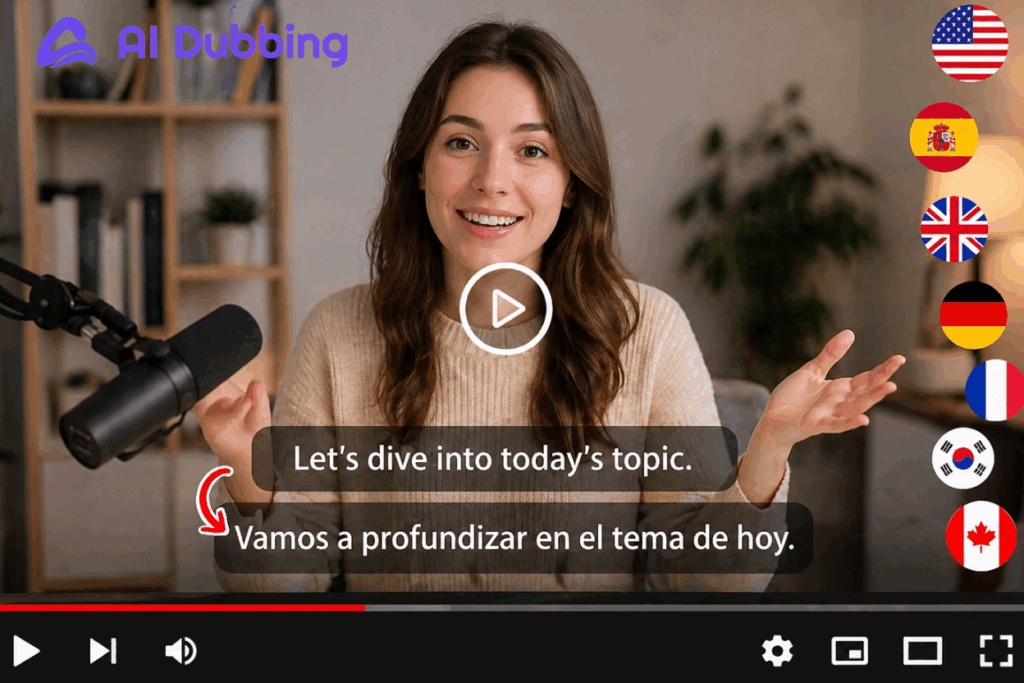
Record a video once, clone your voice, then dub it into 20+ languages — all in your own voice. A YouTuber with 50 English videos can create Spanish, Portuguese, and Hindi versions without hiring voice actors, maintaining vocal consistency across every market.
2. Consistent Content Narration
When you clone your voice for YouTube or social content, you never re-record narration. Write the script, paste it in, generate. Episode 50 sounds exactly like Episode 1 — same energy, same pacing. Creators who clone their voice for batch production save 5-10 hours per week, and the consistency keeps audiences engaged across every upload.
3. Podcast Production
Record your intro once as a reference sample, then generate full episodes from scripts. This is ideal for solo podcasters scaling up output, newsletter creators converting writing to audio, or anyone producing multi-language shows.
4. Audiobook Narration
Upload a clean sample on Saturday, paste your manuscript chapter by chapter, and by Sunday evening you have a fully narrated audiobook. Traditional narration costs $200-400 per finished hour. Voice cloning cuts that to zero.
5. Multilingual Content Without Learning Languages
When you clone your voice, it can speak languages you don't know. The model captures your vocal characteristics, not specific words — a short English recording produces a clone that generates natural-sounding Spanish, French, Japanese, and 15+ other languages, all in your voice. For creators targeting international audiences, this is the fastest way to clone your voice once and produce localized content for every market.
Voice Cloning Tools Compared
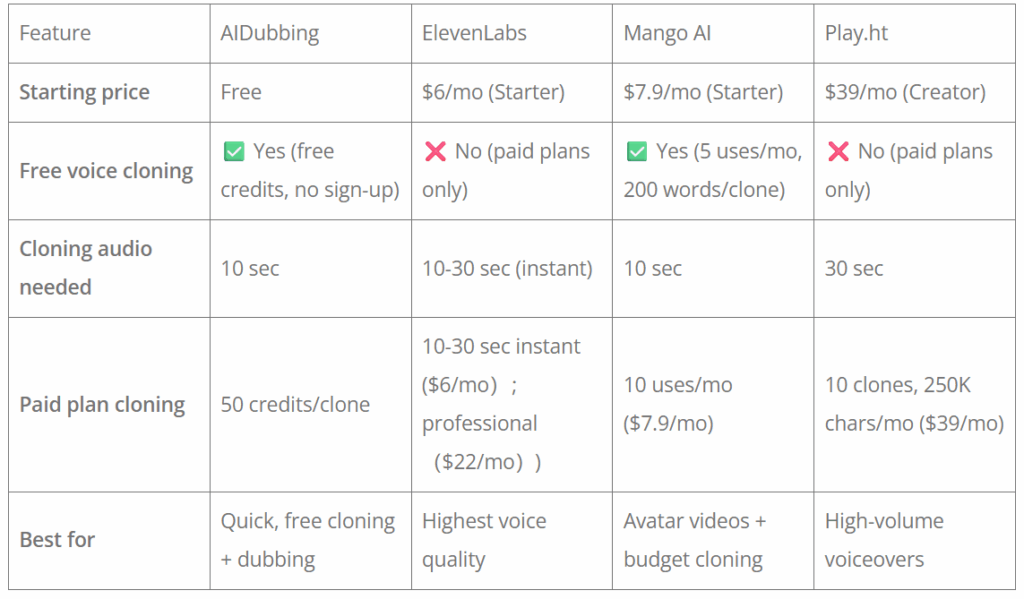
When to use each:
- AIDubbing: The most budget-friendly option on this list, with free credits available for voice cloning. Start creating your AI voice clone without upfront payment.
- ElevenLabs: Best voice quality (4.7/5 rating). Free tier is TTS only — voice cloning requires a paid plan starting at $6/mo.
- Mango AI: Budget-friendly with free cloning (5 uses/month). Good for avatar videos on the Starter plan at $7.9/mo.
- Play.ht: No free cloning. Best for high-volume production with 10 voice clones and commercial rights at $39/mo.
Tips for a Better Voice Clone
When you clone your voice, input quality is 80% of the result. Five practices that make the difference:
Record in a soft room. Hard surfaces create reverb that confuses the model. Carpet, curtains, and bookshelves make an ideal improvised studio.
Don't whisper or shout. Speak at normal conversational volume — the way you'd talk to a friend across a table.
Vary your content. A sample of "hello, testing" tells the model almost nothing. Include a question, a statement, and words with distinct consonant sounds.
Write like you speak. Short sentences, contractions ("you'll" not "you will"), and natural phrasing. Formal writing produces stiff-sounding speech.
Preview before committing. Test a short clip before generating a long script. If a word sounds off, respell it phonetically or swap in a synonym.
Frequently Asked Questions
Can I clone my voice for free?
Yes. Several tools offer free voice cloning. AIDubbing provides free credits to clone your voice and generate speech — no credit card needed. Paid plans unlock higher limits and commercial licensing, but you can test a working clone entirely on the free tier.
How much audio do I need to clone my voice?
Seconds of clean audio is enough. Quality beats quantity: a short, quiet recording produces a dramatically better clone than a long, noisy one. For distinctive accents, a 1-3 minute sample helps.
Does my cloned voice work in other languages?
Yes. Your cloned voice is language-agnostic — it captures your vocal fingerprint, not the words you said. A clone made from English can speak Spanish, French, German, Japanese, and 15+ other languages, all in your voice.
How accurate is the cloned voice?
Modern voice cloning achieves 96-98% speaker similarity. Listeners in casual settings — watching a video, listening to a podcast — can't reliably distinguish a clone from the original. The main variable is your input audio quality.
Is voice cloning legal?
Cloning your own voice is legal. Cloning someone else's without consent may violate privacy laws and platform terms. The EU AI Act requires transparency labeling for AI-generated audio. Always get documented permission before cloning another person's voice.
Can I use my cloned voice commercially?
Yes. When you clone your voice using tools that grant commercial rights, you can use the generated audio for YouTube monetization, sponsored content, paid courses, audiobooks, and client work. Check the tool's licensing terms — most offer commercial use on paid plans, while free tiers may restrict it to personal projects. AIDubbing's free credits are designed for you to test and evaluate your cloned voice before upgrading.
Start Cloning Your Voice Today
Voice cloning in 2026 is no longer a technical challenge — it's a creative decision. You don't need a studio, software downloads, or a GPU. You need a short voice sample and a browser.
Clone your voice now — upload a sample, get a working clone in under a minute with free credits, and start dubbing videos, narrating content, and producing podcasts in 20+ languages, all in your own voice.