Best Auto Sound Effects Tools for Video & Podcast (2026)
- What Makes an Auto Sound Effects Tool Actually Worth Using
-
5 Best Auto Sound Effects Tools Compared
- ElevenLabs Auto Sound Effects — Text-to-Sound and Video-to-Sound Generator
- AIDubbing — Add Sound Effects to Video and Generate AI Sound Effects for Podcast
- CapCut — Built-in Auto Sound Effects Library for Quick Social Edits
- Fish Audio — Community-Powered AI Sound Effect Library for Audio Creators
- MyEdit AI Sound Effects Generator — Browser-Based Auto Sound Effects for Every Creator
- The Bottom Line on Auto Sound Effects Tools in 2026
You finish editing a video at 11pm, feeling pretty good about yourself. The cut is tight, the pacing works, the punchline lands. Then you hit play with sound on and... nothing. No whoosh when the camera pans. No thud when the box drops. It's like watching a silent film that forgot it was supposed to be silent. That gap — between "looks done" and "sounds done" — is exactly where an auto sound effects tool earns its keep, and it's exactly what this guide is about.
What Makes an Auto Sound Effects Tool Actually Worth Using
Not every tool that calls itself an "auto sound effects" solution deserves the label. Before committing to any tool, these are the two questions worth asking seriously.
Speed — Does It Add Sound Effects to Video in Seconds or Hours?
Speed in an auto sound effects tool isn't just about processing time — it's about the total friction from "I need audio here" to "audio is done." That includes how long it takes to describe or select a sound, how the tool handles batch processing, whether you need to export/import files or work inside a native editor, and how many review-and-redo loops the average result requires.
Accuracy — Does the AI Sound Effects Actually Match the Action?
Accuracy is where the real quality gap between AI sound effects tools becomes visible. Generating a sound is easy. Generating the right sound — one that matches the pace of motion in the video, the emotional register of the scene, and the audio environment already established in the project — is significantly harder.
The best tools in 2026 approach accuracy fromContext-aware generation: The tool analyzes your video's visual content (motion, scene type, objects) and uses that context to generate an auto sound effects that fits. Not "footstep," but "footstep on hardwood floor, medium pace, interior, slight reverb."
When evaluating accuracy, watch out for two common failure modes: temporal mismatch (the sound doesn't line up with the action) and tonal mismatch (the sound is technically correct but feels wrong for the scene). Both are things an experienced human editor would catch immediately.
5 Best Auto Sound Effects Tools Compared
We've tested all five tools on real content projects — short-form video, podcast production, tutorial narration, and social media content. Here's the honest breakdown.
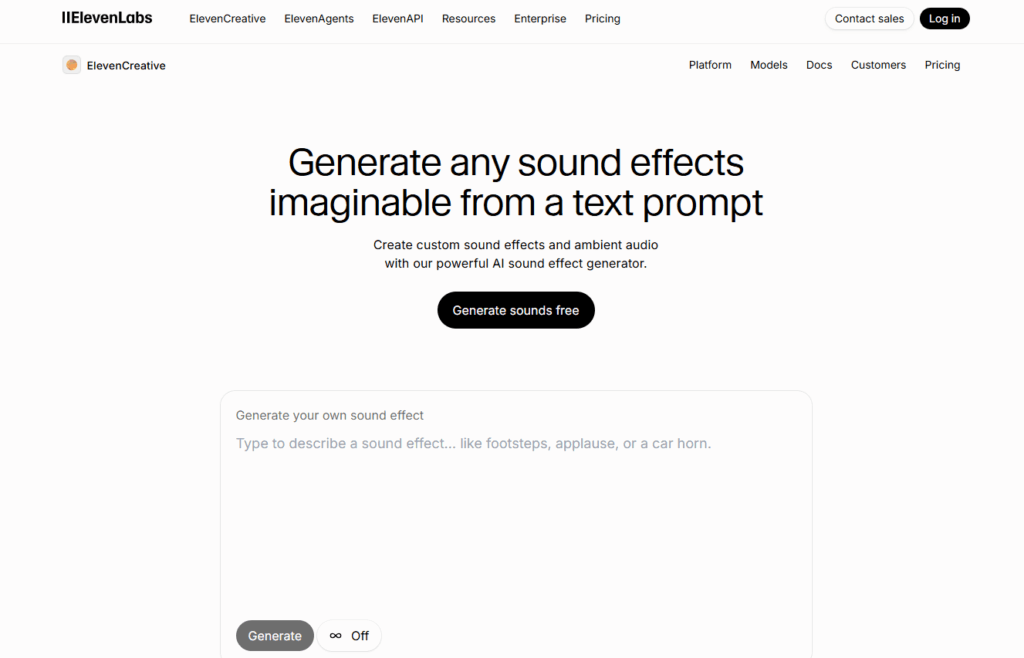
ElevenLabs Sound Effects — Text-to-Sound and Video-to-Sound Generator
ElevenLabs entered the audio AI space primarily through voice synthesis, but their auto sound effects generator has matured into one of the most capable text-to-audio tools available. The core feature is straightforward: type a description, get a sound. But the quality of what comes back is genuinely impressive.
What it does well: The text-to-sound generation handles nuanced descriptions better than most competitors. You can describe environmental layers ("busy café, distant conversations, espresso machine in background, moderate reverb") and get a single coherent audio output that reflects all of those inputs. For podcasters and filmmakers who think in scenes rather than sound effects, this is the right mental model.
The AI sound effects output quality is production-ready in most cases. There's no tinny, obviously-synthetic quality that you'd need to process out. For creating ambient backgrounds, transitional sounds, and scene-setting audio, ElevenLabs is close to best-in-class.
Where it falls short: ElevenLabs remains primarily a generation tool rather than an integration tool. It doesn't natively add auto sound effects to video inside a timeline — you generate audio, download it, and bring it into your editor separately. For creators who want an end-to-end workflow, this is a real friction point. It's also priced toward professional users, with the most capable features sitting behind higher subscription tiers.
Best for: Podcasters, audiobook producers, and filmmakers who want high-fidelity Auto sound effects generation and are comfortable with a generate-then-import workflow.
AIDubbing — Add Sound Effects to Video and Generate AI Sound Effects for Podcast
The design philosophy at AIDubbing is workflow-first: the goal isn't just to generate audio, but to get that audio into your content with minimal friction. That distinction matters enormously if you're producing content at volume.
If You're a Short-Video Creator: Match Action to Sound Automatically
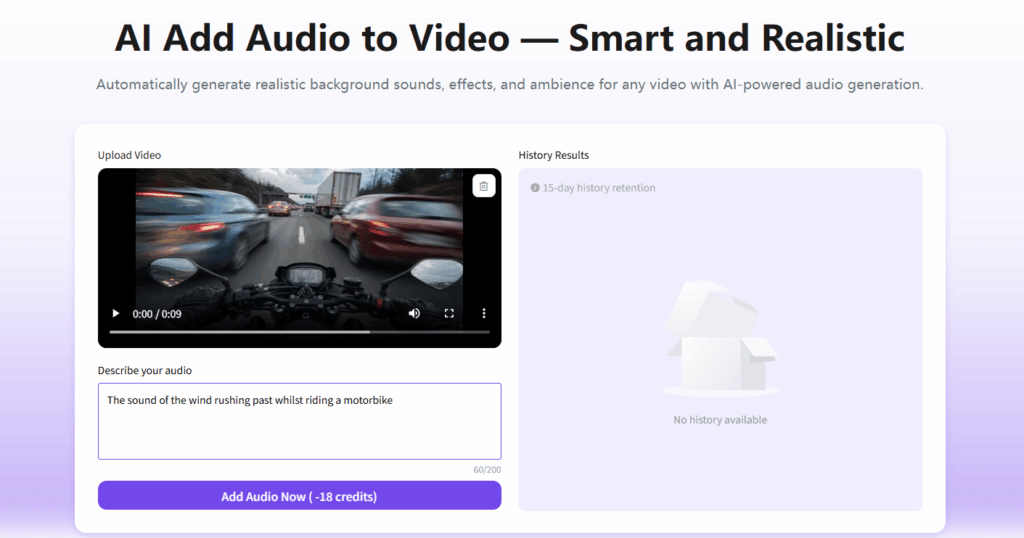
For short-form video producers — Reels, TikToks, YouTube Shorts — timing is everything. An auto sound effects that lands 0.3 seconds late doesn't just sound wrong; it breaks the rhythm that makes short video content feel professional. The Add Audio to Video workflow works like this: you upload your clip, the AI analyzes the visual content and identifies key sound moments (impacts, movements, transitions, atmosphere), and suggests or applies sound effects timed to those events. For creators running a tight production schedule, this alone is a genuine time-saver
If You're a Podcaster or Audiobook Producer: Auto Sound Effects from Text
The podcast and audiobook production use case is where AIDubbing's AI Sound Effects Generator functionality really distinguishes itself. The challenge for audio-first producers is fundamentally different from the video creator's challenge: you're not syncing sound to an existing visual, you're building an acoustic environment from scratch to support a narrative.
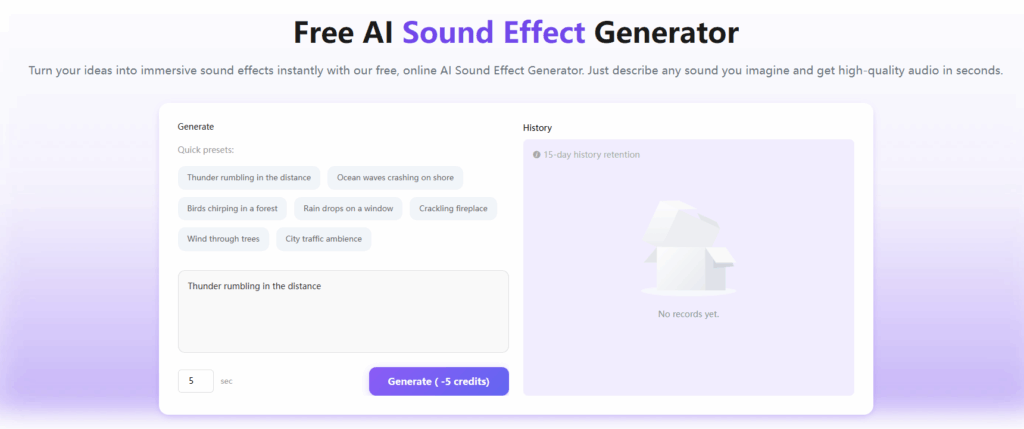
AIDubbing's text-to-sound generation lets you describe the sound you need in plain language and receive a generated audio file tuned to that description. For a crime podcast scene set in a rainy city alley, you might prompt: "Rain on pavement, distant traffic, occasional car passing, slight wind, urban nighttime atmosphere." The output is a layered ambient soundscape you can loop underneath your narration — no manual layering of six separate tracks required.
For audiobook producers, this changes the economics of full-cast audio production. Atmospheric sound design that previously required either extensive library licensing or dedicated session time becomes accessible on demand. Describe, generate, refine, place — the whole cycle can happen inside a single production session.
CapCut — Built-in Sound Effects Library for Quick Social Edits
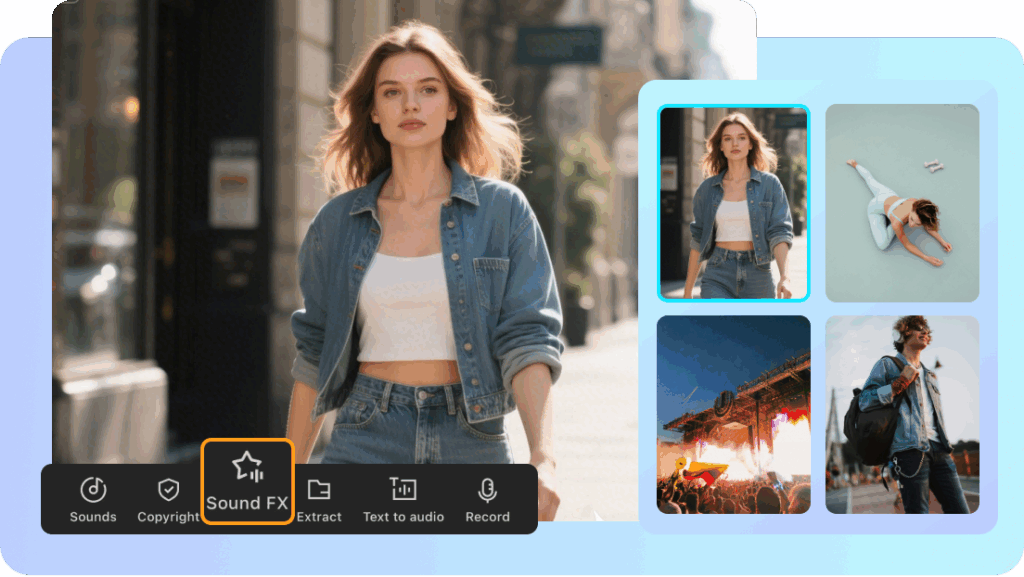
CapCut leans into its identity as the default editor for short-form social content, and its auto sound effects feature is built around editing convenience rather than standalone sound design. Inside the app, you tap into the audio menu, select Sound FX, then AI sound effects, and the tool analyzes your video to automatically create matching audio. CapCut says its app can analyze video projects and add sound effects that match motion, transitions, and scene changes, and it offers several effects options per clip rather than locking you into one result.
The obvious advantage is that this lives inside an app most short-video creators already have open. It also pairs the AI-generated audio with a large royalty-free sound library you can mix in for extra control. The tradeoff is that it's tightly tied to CapCut's own ecosystem — if your footage or final export lives elsewhere, you lose some of that convenience.
Good for: TikTok and Reels creators who already edit inside CapCut and want auto sound effects detection without leaving the app.
Fish Audio — Community-Powered AI Sound Effects Library for Audio Creators
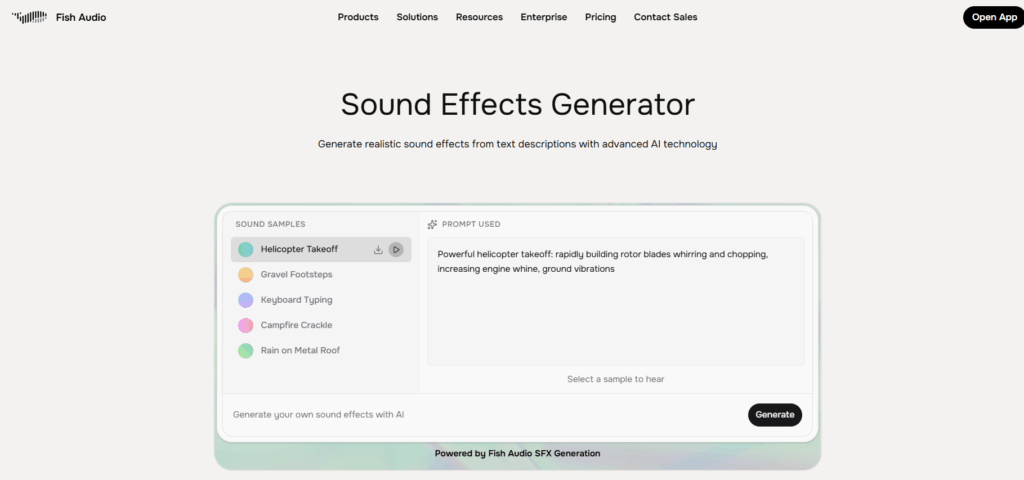
At its core, Fish Audio is best known for its AI voice cloning and text-to-speech ecosystem, but its sound model library has grown into a serious resource for audio creators who need custom, genre-specific, or culturally nuanced sound aesthetics that generic libraries simply don't cover. The platform's community model means you can access thousands of user-trained audio styles — and contribute your own — creating a constantly expanding pool of AI sound effects options that no single editorial team could curate at the same pace.
Where it falls short:
Where Fish Audio is less competitive is in video-native integration. Like ElevenLabs, it operates primarily as a generation and export tool — you'll still need to bring the audio into your video editor separately to add auto sound effects to video. For creators who want a fully integrated, one-stop workflow, this remains a real friction point. But as a sound generation engine for audio-first creators, it punches well above its weight class.
Best for: Podcasters, indie game developers, music producers, and any creator who wants access to a wide variety of AI sound effects styles and values sonic personality over workflow simplicity.
MyEdit AI Sound Effects Generator — Browser-Based Auto Sound Effects for Every Creator
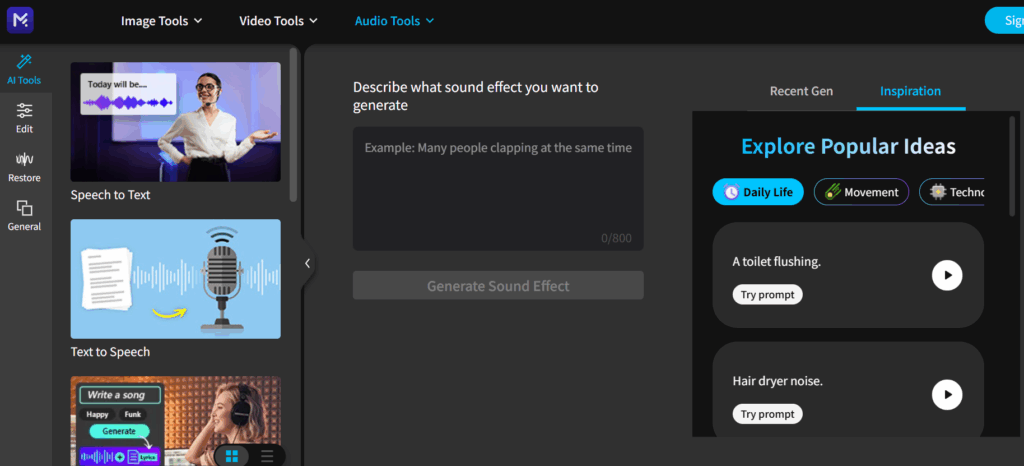
What sets MyEdit apart from simpler tools is the range of generation options available in a single interface. Beyond the core text-to-sound AI sound effects generator, the platform includes tools for audio enhancement, noise removal, and basic mixing — meaning you can generate, clean, and balance audio without ever leaving the browser tab. For solo creators and small teams who can't justify separate subscriptions for generation, editing, and enhancement, having all three in one place is a genuine workflow advantage.
Where it falls short:
Where MyEdit's ceiling shows is in the depth of integration with video timelines and in the fine-tuning capabilities available for complex or highly specific sound design needs. It generates excellent auto sound effects, but it doesn't embed into a video editing timeline the way AIDubbing does, and it doesn't offer the stylistic model variety of Fish Audio. For creators whose primary need is fast, high-quality sound generation they can use across any project, though, that trade-off is entirely acceptable.
Best for: Independent creators, remote educators, marketers, and anyone who wants browser-accessible auto sound effects generation without a complex setup — especially those starting out with AI audio tools or producing content across multiple formats.
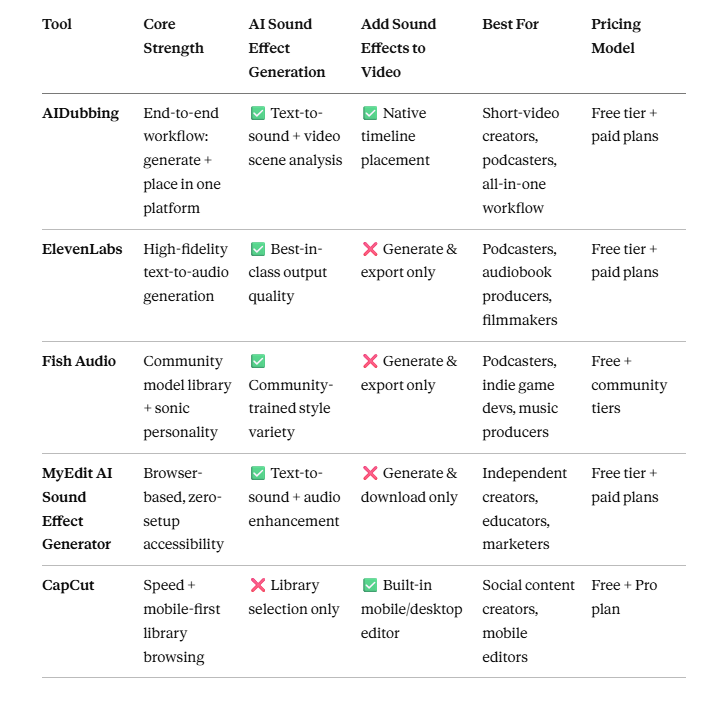
Five tools. Five different takes on the same core problem. And after testing them all, the clearest takeaway isn't which tool is "the best" — it's that the right tool depends entirely on where audio sits in your production process.
If audio is an afterthought you want handled automatically, CapCut and MyEdit get you there fastest. If audio is a creative layer you want to build intentionally — whether through high-fidelity auto sound effects generation or a rich community model library — ElevenLabs and Fish Audio give you the range to do it properly. And if you want a single platform that handles the full cycle from auto sound effects generation to actually placing that audio inside your video, AIDubbing is the one tool on this list that closes the loop end to end.
The Bottom Line on Auto Sound Effects Tools in 2026
The broader shift happening in 2026 is worth naming clearly: sound design is no longer a specialist skill locked behind expensive software and years of training. The best auto sound effects tools have made it genuinely accessible — not dumbed down, but democratized. The gap between what a solo creator can produce and what a professional team produces has narrowed to the point where the main difference is no longer budget or tools, but intentionality.
That's the real takeaway. The tools are ready. The workflows are proven. The only question left is whether you're going to keep spending Sunday nights hunting through sound libraries — or spend those hours on the parts of your content that actually need a human touch.
Your audience hears everything. Make it count.