2026 Guide: How to Convert MP4 to Transcript in Any Language
If you've ever sat through an hour-long video, fingers hovering over the keyboard, trying to type out every single word — you already know the pain. Converting MP4 to transcript used to mean either torturing yourself with manual typing, or paying someone else to do the torturing for you.
In 2026, that's changed. AI-powered video transcription has made it genuinely fast, surprisingly accurate, and — most importantly — available in dozens of languages, not just English. Whether you're a content creator repurposing footage, a remote educator building multilingual course materials, or a global marketer localizing video campaigns, getting a clean MP4 to transcript is no longer a bottleneck.
This guide walks you through everything: why MP4 to transcript conversion matters more than ever, the old-school methods that still have their place, and how AI tools have completely changed the game for multilingual video to text conversion. Let's get into it.
Traditional Ways to Convert MP4 to Transcript
Before AI tools entered the chat, there were really only three ways to handle MP4 to transcript conversion. They all work — technically. But "works" and "works well" are different things. Here's an honest breakdown.
1. Manual Video Transcription: Accurate but Painfully Slow
Manual video transcription is exactly what it sounds like: watch, listen, type — repeat.
Why people still use it (rare cases)
- High accuracy requirement
- Highly confidential recordings where you can't trust any external tool with the content
The reality (most users experience this):
- 4–6 hours work for 1 hour video
- Constant rewinding
- Easy to lose focus halfway
- Multilingual videos = ×2 difficulty
If the video is multilingual or has strong accents, things get worse fast.
You’re not just typing anymore — you’re decoding audio like a detective.
Highly confidential recordings where you can't trust any external tool with the content, or very short clips where it genuinely takes less time than setting up a software workflow.
Bottom line: Doesn't scale. Not even close.
2. Freelancers and Agencies: Expensive at Scale
If you'd rather not transcribe yourself, you can pay someone else to do it. Platforms like Rev, Scribie, and various freelance marketplaces offer human transcription services that are genuinely accurate
Rather pay someone else? Fair. But the costs add up fast.
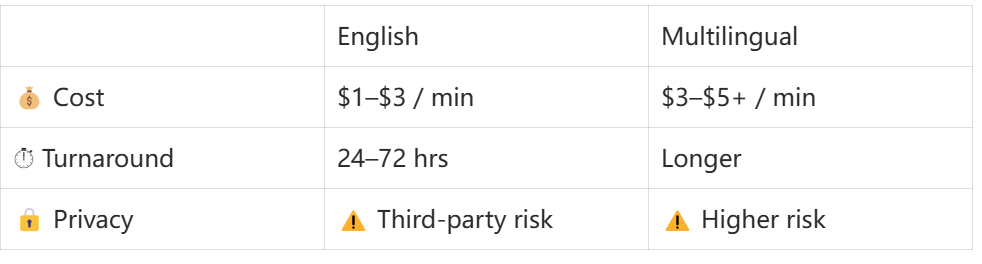
When it still makes sense: Legal proceedings, medical documentation, or archival work where 100% human accuracy on MP4 to transcript output is non-negotiable.
Bottom line: For one-off high-stakes content, fine. For regular multilingual MP4 to transcript workflows — the math simply doesn't work.
3. Use Your Device's Built-in Voice Recognition
Most operating systems have some form of built-in voice recognition — Windows Speech Recognition, Apple's Dictation feature, Google's voice typing in Docs. These tools are genuinely useful for one specific thing: converting your own live speech into text in real time.
What they can't do:
- Process a pre-recorded MP4 file
- Handle multilingual audio reliably
- Filter out background noise or room echo
Bottom line: Great for dictation. Wrong tool for MP4 to transcript.
Convert MP4 to Transcript With AI
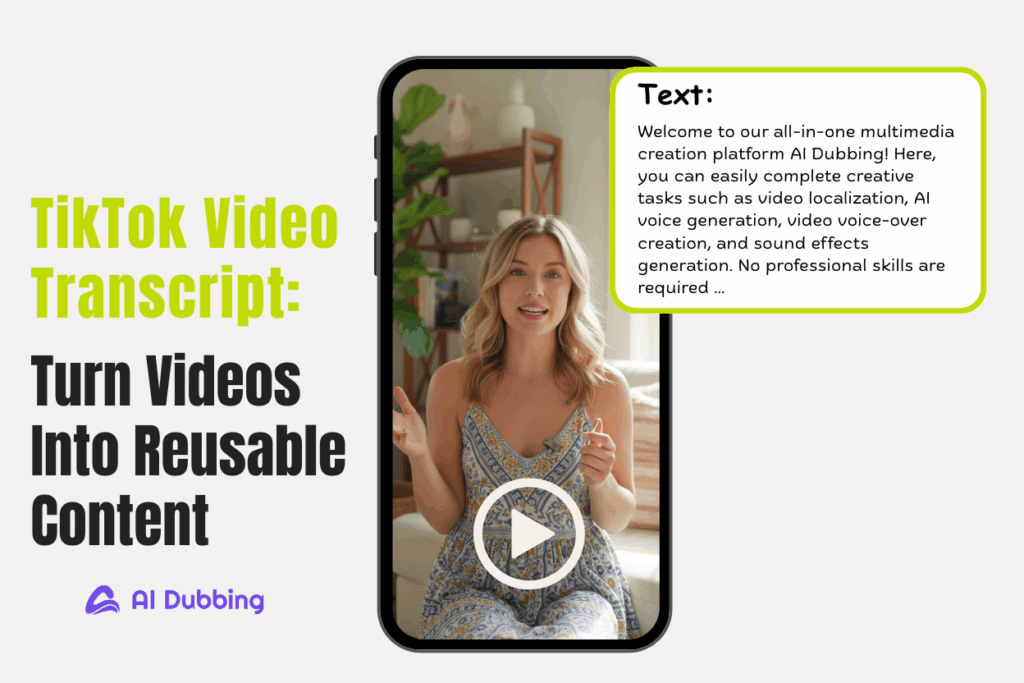
This is where things actually get interesting. AI-powered video transcription has crossed a threshold in the last couple of years — from "impressive demo" to "actually reliable production tool." The best tools today can take a multilingual MP4 to transcript and return a clean, accurate transcript in minutes, with support for dozens of languages and no manual effort required on your end.
Tools like AI Dubbing combine Video to Text Converter with multilingual support in a single streamlined workflow — meaning you're not stitching together a transcription tool with a separate translation step. The whole thing happens in one place.
Here's how the process works:
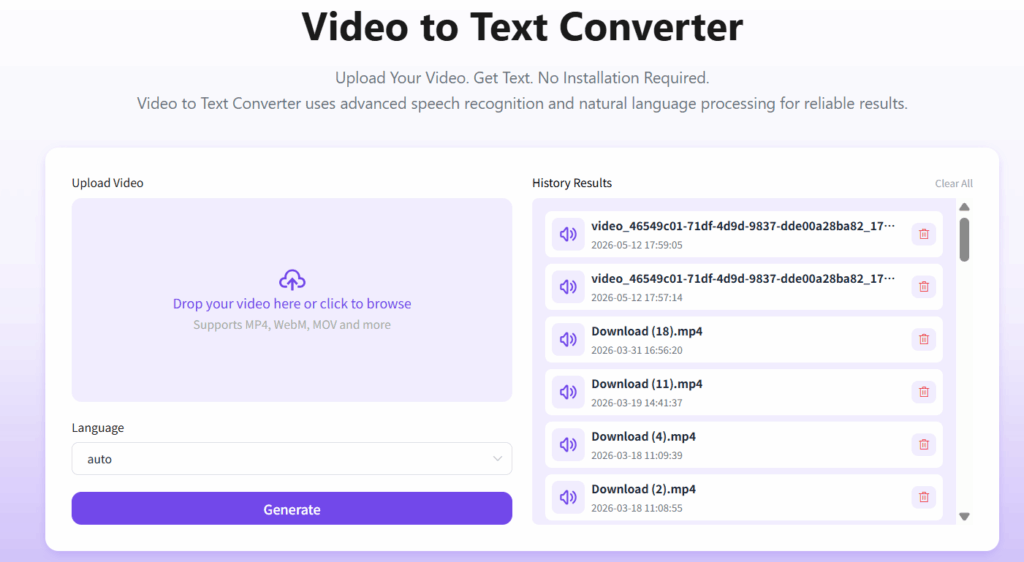
Step 1: Upload Your MP4 Video
Start by uploading your video file directly into the platform. Our Video to text converter supports MP4, MOV, WebM, MKV, and additional common formats
Step 2: Select the Language
After uploading your video, the next step is choosing the language settings.
If your goal is simple MP4 to transcript conversion, you only need to select the source language — the language being spoken in the video.
But if you also plan to localize or translate the content, you can additionally choose a target language for multilingual workflows.
Video to Text is built specifically for multilingual video content, so language support isn't an afterthought — it's a core part of the product.
Step 3: Generate the Transcript Automatically
Hit generate and let the AI work. Depending on the length of your video and the platform you're using, processing time typically ranges from a few seconds for short clips to a few minutes for longer recordings. This is the part where you go make a coffee instead of staring at a progress bar.
Tips for More Accurate MP4 to Transcript Results
Even the best AI transcription tools perform better under certain conditions. Here's what actually moves the needle:
- Record with transcription in mind.
If you're producing video content that you know will need a transcript, it's worth spending a few extra minutes on audio quality at the recording stage. Use a dedicated microphone rather than your laptop's built-in mic. Record in a quiet room. Speak clearly and at a moderate pace. These basics have an outsized impact on transcript accuracy — both for human transcribers and AI tools.
- Minimize background noise before uploading.
If you're working with existing footage that has background noise — street sounds, air conditioning hum, crowd noise — many video editing tools and audio apps offer noise reduction filters that can significantly clean up the audio track before you run it through MP4 to transcript. A cleaner audio signal means fewer errors in the output.
- Review the transcript with the video open.
AI MP4 to transcript is fast and generally accurate, but it's not infallible. Proper nouns, brand names, technical terminology, and uncommon words are the most frequent sources of error. A quick pass through the transcript while referencing the video — even at 1.5x speed — catches these outliers efficiently without requiring a full re-transcription.
What Makes a Good MP4 to Transcript Tool?
Not all MP4 to transcript tools are built the same. Here's what to actually look for — beyond the marketing claims.
1. Fast AI Video Transcription
Speed matters, but not in isolation. What you're looking for is fast turnaround without a corresponding drop in accuracy. A tool that processes your video in 30 seconds but returns an unusable transcript hasn't actually saved you any time — it's just moved the work from "waiting" to "editing."
2. Support for Multiple Languages
This is the filter that eliminates most generic MP4 to transcript tools immediately. English-only video to text tools are everywhere. Genuinely multilingual tools — ones that handle Spanish, Mandarin, Arabic, Japanese, Korean, French, German, and lesser-supported languages with comparable accuracy — are far fewer.
3. Accurate Video to Text Recognition
Accuracy is the core metric — everything else is secondary. A helpful way to evaluate this: look for word error rate (WER) benchmarks, which measure the percentage of words in a transcript that differ from the actual spoken content. Industry-leading tools in 2026 are hitting WER rates of 5-10% for clear audio in supported languages. That's roughly one error per ten to twenty words — good enough for most use cases, with a light editing pass.
Final Thoughts: Spend Less Time Typing, More Time Creating
Converting MP4 to transcript is no longer a specialist skill or a time-consuming chore. In 2026, the combination of improved AI models, wider language support, and tools built specifically for multilingual video content means that getting an accurate transcript from any video — regardless of language — is genuinely accessible to anyone.
If you haven't yet tried AI-powered transcription for your multilingual video content, tools like AI Dubbing make the whole process — from upload to finished transcript — genuinely straightforward. Give it a run on a video you've been putting off transcribing. You'll be surprised how much time you get back.
The best transcript is the one you actually have. Go get it.