How to Add Voiceover to Video: 2026 Ultimate Creator Guide
In today’s content-driven world, your video often speaks before you do. And while strong visuals can grab attention, they rarely hold it for long on their own. What actually keeps people watching is something far more subtle—sound.
That’s where voiceover comes in. When you add voiceover to video, you’re not just filling silence. You’re giving structure, emotion, and context to what people see.
This guide walks through how creators are using voiceover to turn simple clips into something people actually stop for—not just scroll past.
Voiceover Matters in Social Media Content
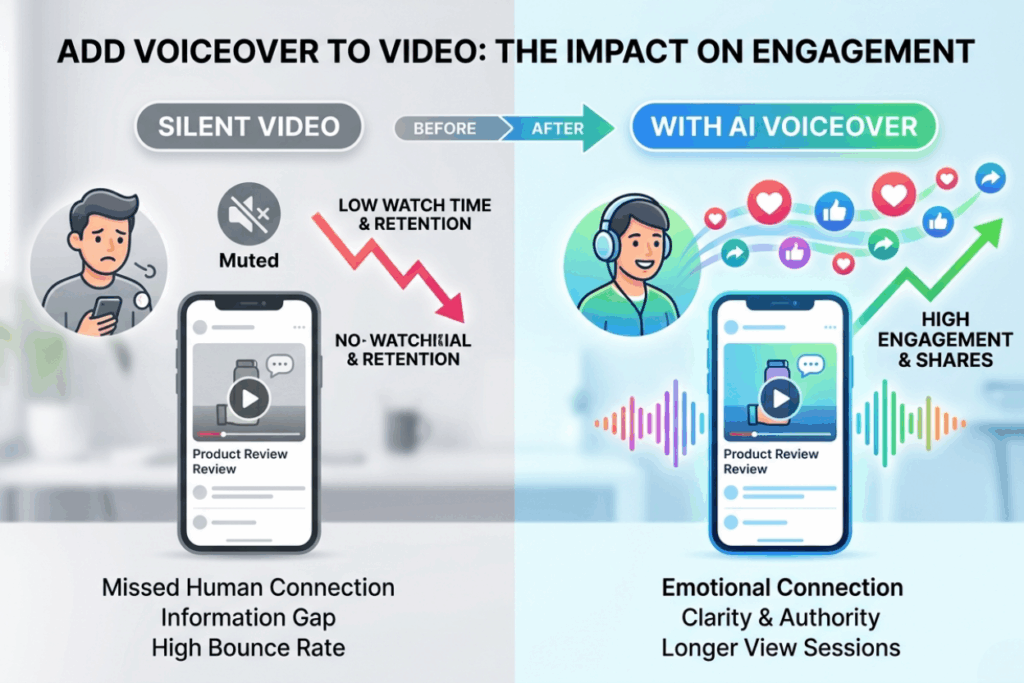
Voiceover matters more than most creators realize, especially in short-form social media. It changes how people interpret your content—not just how they hear it. A few things usually happen when you add voiceover to video: People stay longer, because they understand what’s happening without guessing. The content feels more intentional, even if the visuals are simple. And over time, viewers start recognizing your tone, not just your visuals. That recognition is important—it’s what turns random viewers into returning ones.
Where Voiceover Makes the Biggest Impact
1. Making Product Reviews Sound More Trustworthy
Product reviews live and die by trust. If your video sounds unsure, robotic, or flat—people won’t believe you.
When you add voiceover to video for reviews, you’re not just explaining features—you’re shaping perception.
A strong voiceover can:
- Emphasize key product benefits
- Create a professional reviewer tone
- Make your content feel more “authoritative”
This is especially important for:
- Amazon affiliate creators
- Dropshipping marketers
- Tech reviewers on YouTube
Instead of struggling to record your own voice, you can use AI voiceover tools to generate clean, consistent narration that matches your brand tone.
2. Creating Calm and Engaging Bedtime Stories
Storytelling content is all about emotion. And emotion comes from voice.
If you want to build a bedtime story or relaxation channel, learning how to add voiceover to video effectively is critical.
The right voiceover can:
- Create a calming atmosphere
- Keep listeners engaged longer
- Make your content feel immersive
AI voiceover makes it possible to generate:
- Soft, warm narration
- Consistent storytelling tone
- Multi-language story content
This is perfect for creators building:
- YouTube Kids channels
- Sleep or meditation reels
- Audiobook-style videos
3. Turning Tutorials into Clear Step-by-Step Guidance
Tutorials fail when they’re confusing—and this is exactly why you need to add voiceover to video for clear guidance.
If your audience has to guess what’s happening on screen, you’ve already lost them.
Adding voiceover to video transforms tutorials into guided experiences.
It helps you:
- Explain each step clearly
- Reduce cognitive load
- Improve retention and watch time
Whether you’re creating SaaS demos, online courses, or quick tips—voiceover makes your content more effective.
A Smarter Way to Add Voiceover to Video with AI
Stop struggling with expensive microphones. AIDubbing offers a streamlined 3-step process to add voiceover to video like a pro.
Step 1: Upload Your Text or Audio
With Voiceover, you can choose between two different workflows depending on what you already have:
Option 1: Upload Text (Create Voiceover from Script)
If you already have a script—like a product description, tutorial steps, or story content—you can simply upload or paste your text.Instead of recording line by line, you instantly add voiceover to video using clean, controlled narration.
Option 2: Upload Audio (Change or Enhance Your Voice)
Instead of re-recording, you can apply different audio effects to transform your original sound.This flexibility is especially useful for creators who want to keep their original voice but still improve or stylize it.
No matter which option you choose, the goal is the same: make it easier and faster to add voiceover to video online—without the usual friction of recording, editing, and re-recording.
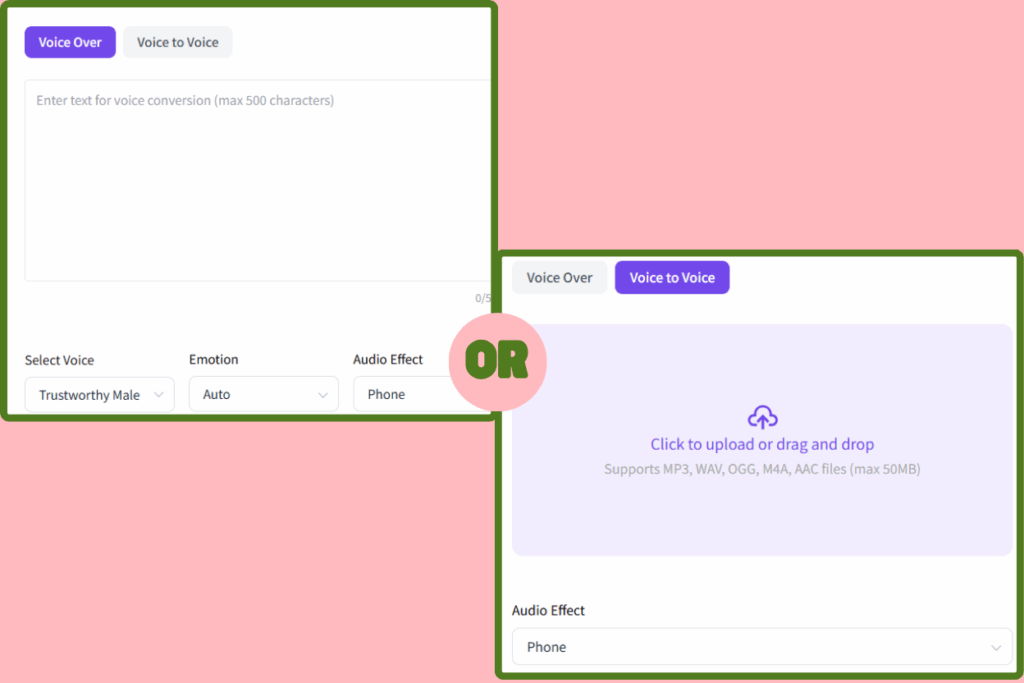
Step 2: Select Audio Parameters
Once your content is in place, this is where your video really starts to take shape.
Instead of settling for a single generic voice, you can customize multiple dimensions of your AI voiceover:
- Voice Selection: Choose from different voice types depending on your content style
- Emotion Control: You can adjust emotional tone to match your message:
- Audio Effects: Beyond voice and emotion, you can layer in audio effects to enhance immersion:
At this stage, you’re not just trying to add voiceover to video—you’re crafting an experience that fits your content style.
Step 3: Preview and Export Your Voiceover
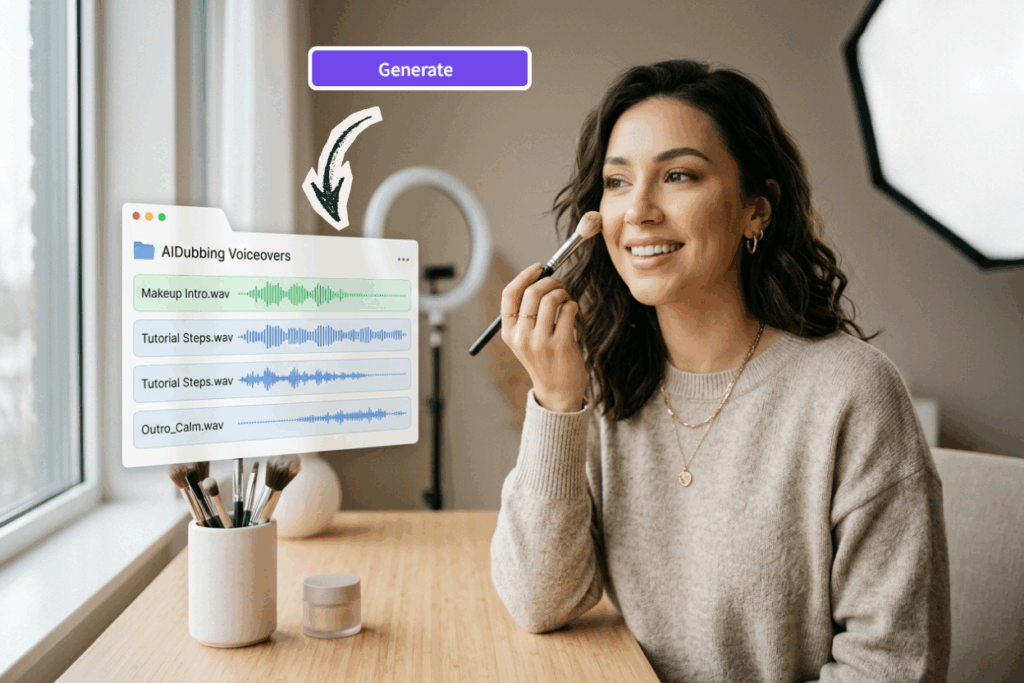
At this point, your voiceover is almost ready. You can make sure the tone matches your content and nothing sounds off. Once it sounds right, export your voiceover and sync it with your video.
Common Mistakes When You Add Voiceover to Video
Adding voiceover sounds simple—and it is—but a few small mistakes can make your video feel off without you even realizing it.
Here are the most common ones creators run into when they add voiceover to video:
- Mismatched Tones: Don't add voiceover to video using a corporate voice for a fun TikTok dance.
- Ignoring Background Music: Ensure your background track doesn't drown out the voiceover you worked so hard to add.
- Robot-Speak: Avoid long sentences without pauses. When you add voiceover to video, remember that humans breathe!
- SEO Neglect: Your script should include keywords because Google's AI "listens" to videos to rank them.
At the end of the day, adding voiceover isn’t about making your video louder. It’s about making it clearer, smoother, and more enjoyable to watch.

Final Thoughts: Add Voiceover to Video and Stand Out
Most creators don’t realize this at first, but audio usually carries more weight than visuals.
People may notice your video because of how it looks—but they decide whether to stay based on how it sounds.
Learning how to add voiceover to video isn’t really about tools or techniques. It’s about making your content easier to understand and easier to stay with.
With AIDubbing, you can create natural, flexible AI voiceover in minutes—whether you're making tutorials, storytelling content, or social media videos.
No need to overthink it. Just make your content clearer than it was before.
That alone already puts you ahead of most videos online.