How to Generate AI Girl Voice for Your Videos?
If you’re reading this, you already understand one thing: a female voice can dramatically improve how your content performs.
You’re not here to be convinced—you’re here because you want to use it.
This guide is a complete, practical walkthrough on how to generate AI girl voice for videos in every real-world scenario you might face as a creator.
By the end of this article, you’ll know how to:
- Turn any script into a natural female AI voice
- Convert your existing audio into an AI girl voice
- Directly dub your videos with AI girl voice — without re-recording anything
In other words, whether your content starts as text, audio, or video, you’ll be able to generate a high-quality AI girl voice for it.
No scattered tools. No complicated workflows.
With AI Dubbing, you get a clear system that solves all your AI girl voice needs in one place — from text-to-speech to audio conversion and video dubbing — so you can focus on creating content that gets more views, higher retention, and better engagement.
How to Choose the Right AI Girl Voice for Your Video?
Before generating anything, the most important step is choosing the right type of AI girl voice for your content. Different voices create very different audience perceptions, even if the script is exactly the same.
Here are the three key dimensions you should always consider:
1. Voice Style
Most AI girl voice generators offer multiple voice styles, such as:
- Friendly & warm – ideal for tutorials, educational videos, explainers
- Energetic & playful – perfect for TikTok, Shorts, lifestyle content
- Calm & professional – great for product demos, corporate videos
- Emotional & expressive – suitable for storytelling, role-play, gaming
Your goal is not to find the “best” voice, but the most suitable voice for your content type.
A playful voice in a finance tutorial feels unprofessional.
A serious corporate voice in a TikTok clip feels boring.
2. Speech Rate and Tone
Small adjustments here make a huge difference.
- Faster speed → feels energetic, modern, casual
- Slower speed → feels trustworthy, calm, premium
- Higher pitch → sounds younger, more playful
- Lower pitch → sounds more mature and authoritative
Most creators ignore this step and just use default settings — which is why so many AI voices still sound generic.
3. Platform Matching
Different platforms reward different voice styles:
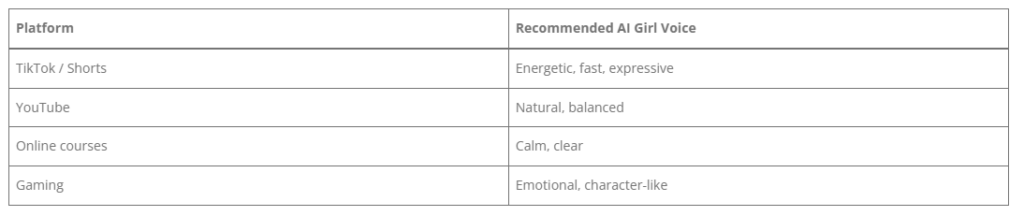
Choosing the right voice is already 50% of content quality.
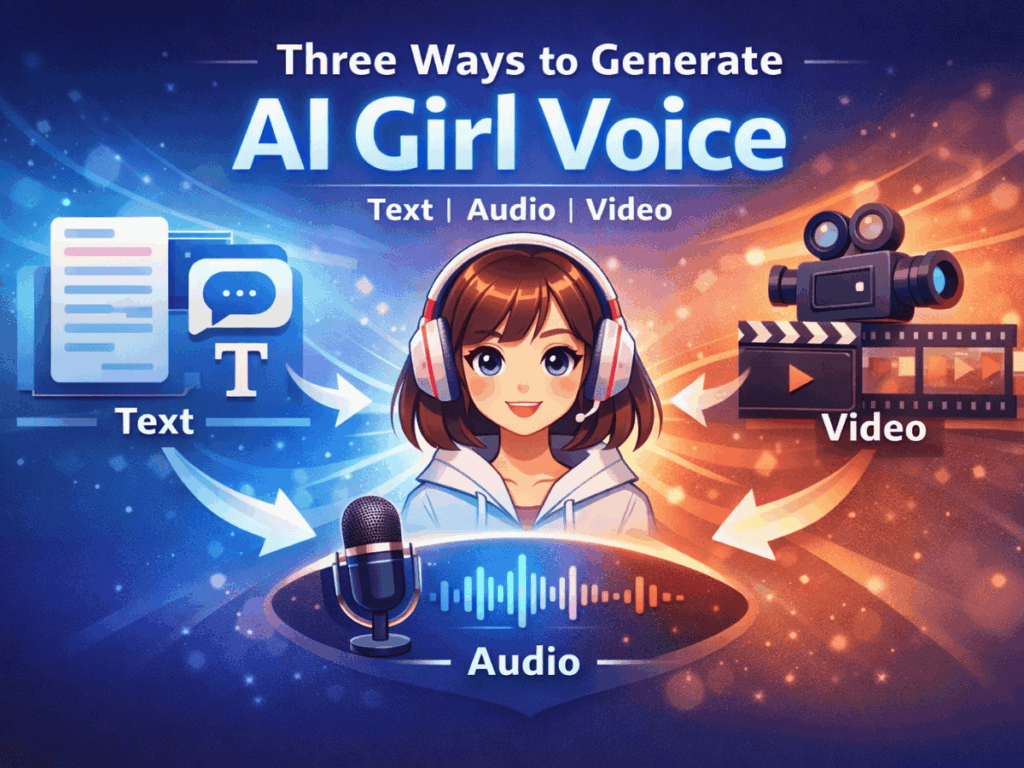
Three Ways to Generate AI Girl Voice: From Basic to Advanced
Whether you’re creating YouTube tutorials, TikTok clips, or online courses, an AI girl voice can instantly elevate your content. Depending on your starting point — text, audio, or video — there’s a workflow that fits your needs. Here’s how you can generate a professional female AI voice for any scenario using AI Dubbing, a platform that supports all three methods seamlessly.
1. Basic: AI girl voice text-to-speech
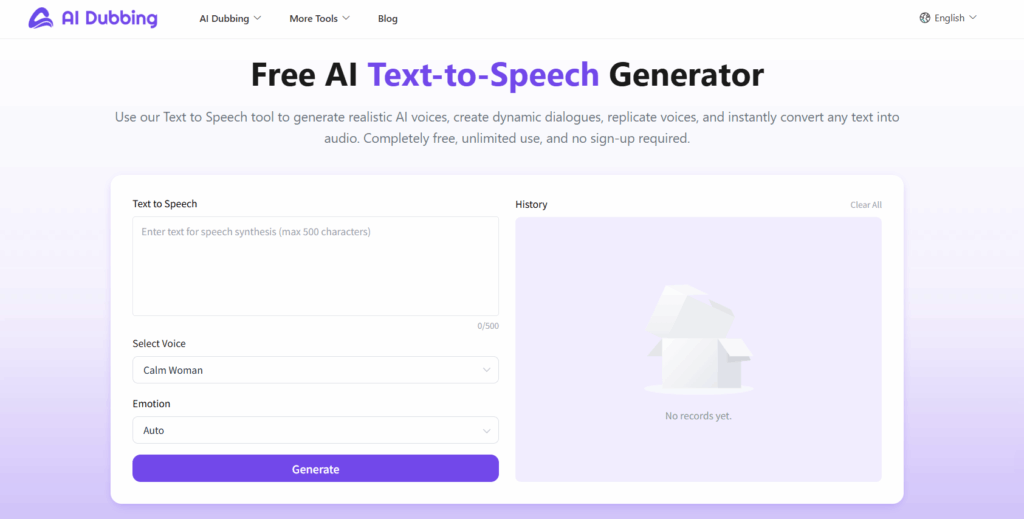
Best for: Voiceovers, explainer videos, educational content, or short social media clips.
If you have a script but no recorded audio, AI girl voice text to speech is the fastest way to generate a natural female voice.
How it works in AI Dubbing:
- Paste your script into the editor
- Choose a female AI voice or style from the available options
- Preview and adjust speed, tone, and emotion
- Generate and download the audio
Why it’s useful:
- Perfect for creators needing a quick, high-quality AI girl voice
- No recording equipment required
- Easily experiment with different voices to match your content style
Scenario example:
You’re creating a 60-second TikTok tutorial. Instead of recording yourself, paste your script into AI Dubbing, select an energetic AI girl voice, and generate a polished narration in seconds.
2. Intermediate: Audio to AI Girl Voice
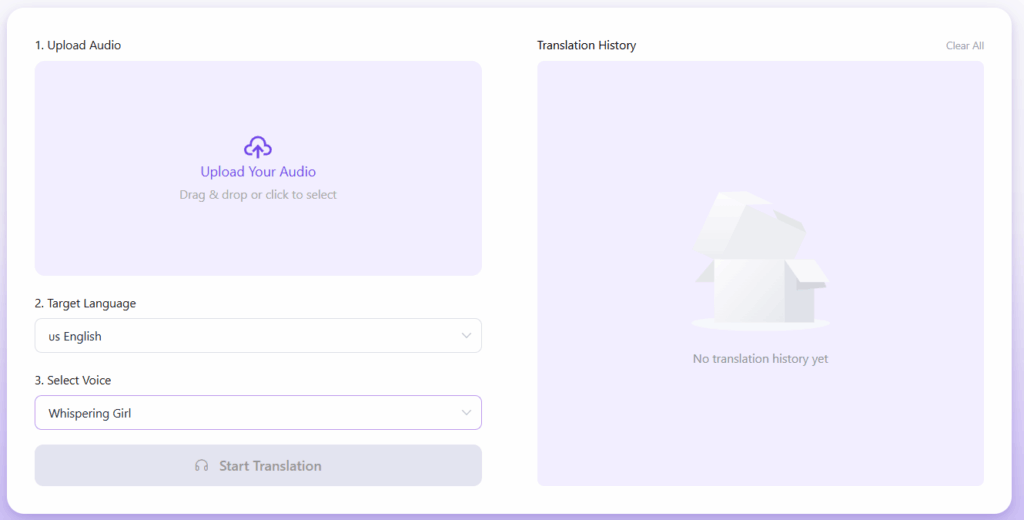
Best for: Podcasts, webinars, or any existing recordings.
If you already have audio but want it converted into a female AI voice, AI Dubbing makes it easy to convert audio to girl AI voice.
How it works in AI Dubbing:
- Upload your audio file (MP3, WAV, etc.)
- Select the desired AI girl voice
- Generate the new audio with natural inflection
- Download or use it in video projects
Why it’s useful:
- Upgrade old recordings without re-recording
- Standardize voice style across multiple videos
- Maintain consistent branding with AI girl voice
Scenario example:
You recorded a podcast in a male voice but want a female version for social media clips. Upload your audio to AI Dubbing, select a female AI voice, and instantly get a polished narration ready to use.
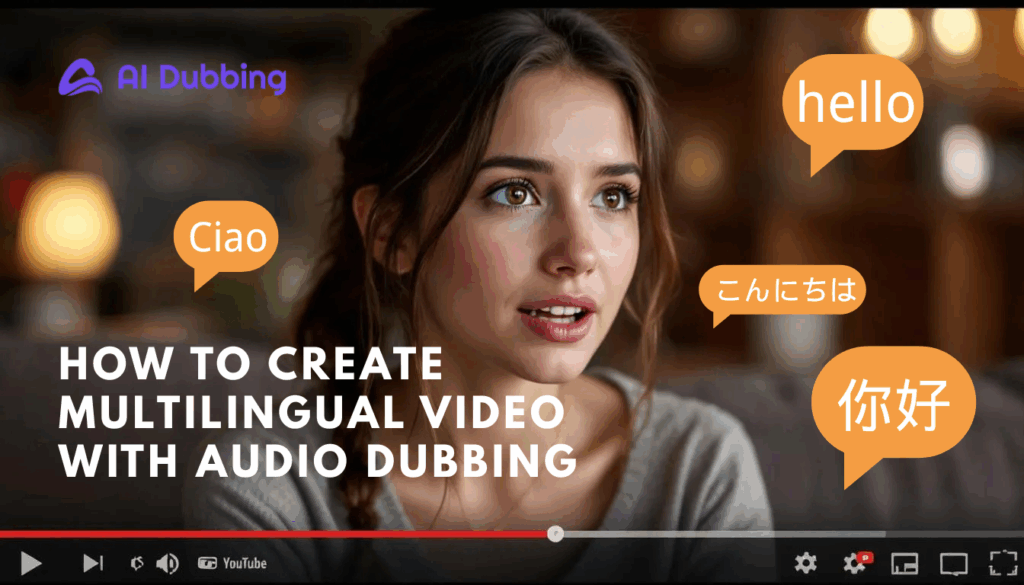
Bonus tip: Before generating your AI girl voice, you can also switch the target language. AI Dubbing supports 20+ languages, allowing you to convert the same audio into different female AI voices for global audiences — without recording anything again.
3. Advanced: Video Dubbing with AI Girl Voice
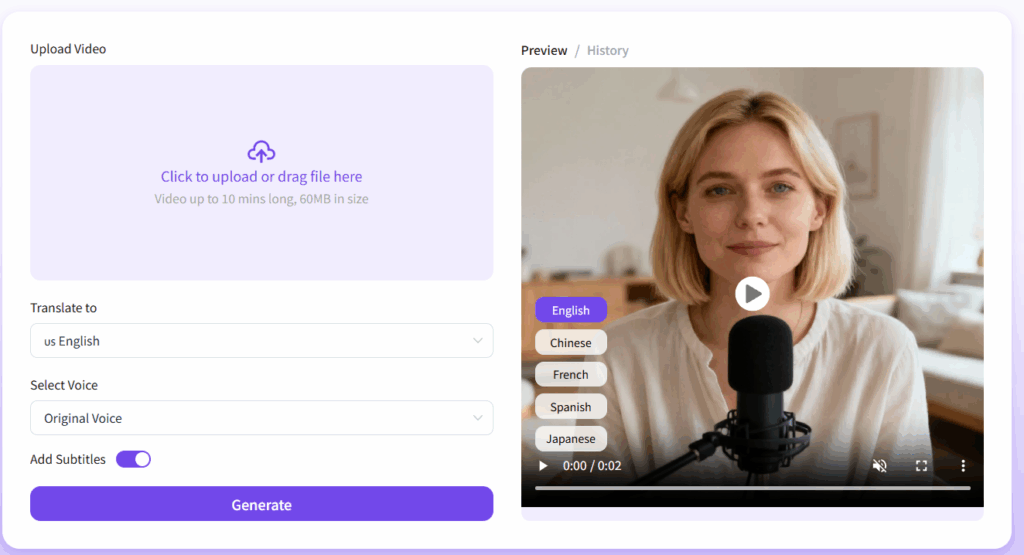
Best for: Full video content, tutorials, courses, or marketing videos.
This method allows you to dub a video with AI girl voice directly, without touching the visuals. It’s ideal for creators who want end-to-end AI-generated female narration.
How it works in AI Dubbing:
- Upload your video file
- Select your preferred AI girl voice style
- Sync audio with the video timeline
- Export the fully dubbed video
Why it’s useful:
- Save hours compared to manual recording
- Produce professional-sounding female AI voiceovers
- Easily repurpose videos for multiple platforms or languages
Scenario example:
You’ve finished a 5-minute YouTube tutorial, but didn’t record a voiceover. With AI Dubbing, you can upload the video, select a friendly AI girl voice, and generate a fully dubbed version ready for publishing — in minutes.
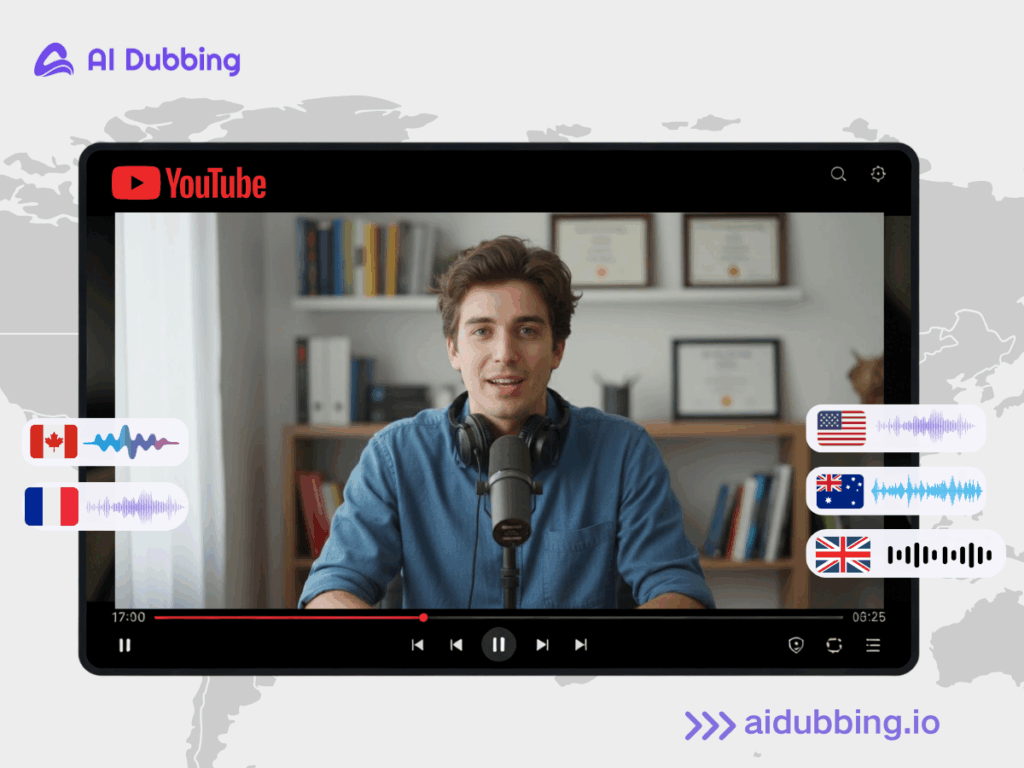
The same workflow also works across languages. You can dub one video into multiple versions using different AI girl voices in over 20 languages, making it easy to localize your content for international viewers.
Tips for Making Your AI Girl Voice Sound Natural
1. Choose the Right Workflow for Control Level
If you need full control over tone and emotion, AI girl voice text-to-speech is the best option. It allows you to fine-tune how the voice sounds before generating the audio.
For audio conversion and video dubbing, the focus is on natural voice replacement and consistency, rather than manual voice parameter control.
One common mistake is expecting convert audio to sound like a girl AI voice to behave like text-to-speech. Since the voice is generated based on existing audio, you cannot manually adjust speed or emotion — the system prioritizes natural synchronization.
2. Script Quality Matters More Than Voice
Even the best AI girl voice generator cannot fix a poorly written script. In most cases, the final voice quality depends more on how your text is written than on which female AI voice you choose.
Here are a few practical rules that consistently produce better results:
- Use shorter sentences
Long, complex sentences often sound robotic when converted to speech. Break them into simple, spoken-style lines. If you wouldn’t say it out loud, don’t write it. - Write for listening, not reading
AI voices perform best with conversational phrasing. Avoid formal language and overly technical expressions. Natural rhythm matters more than perfect grammar. - Add natural pauses
Use commas and line breaks to guide pacing. This helps the AI create more realistic timing, especially in AI girl voice text-to-speech workflows. - Read your script once before generating
If it feels awkward when you read it yourself, it will sound even worse when generated. A quick read-through can improve results more than switching voices. - Use emotional cues in the text itself
Instead of relying on voice settings, embed emotion directly in your script:
“That’s insane.”
“Wait… this part matters.”
This guides the AI voice generator toward more expressive delivery.
In practice, creators who optimize their scripts often get better voice quality than those who rely solely on changing voice styles.
3. Input Quality Matters More Than Voice
When using convert audio to girl AI voice or dub video with AI girl voice, many creators focus too much on the voice model and ignore the real factor: the quality of the original input.
Unlike text-to-speech, these workflows rely heavily on your existing audio and video. Poor input will always lead to poor output, no matter how good the AI girl voice generator is.
For Audio Conversion Users
-
Use clean source audio
Background noise, echo, or overlapping speakers reduce accuracy and naturalness. A simple rule: if you can’t clearly understand the original audio, neither can the AI. -
Keep one speaker per file
Multiple voices on one track often confuse voice mapping and result in an unstable tone. -
Avoid extreme speaking styles
Shouting, whispering, or overly dramatic delivery usually produces unnatural female AI voice results. -
Maintain steady pacing
Sudden speed changes or long silent gaps affect rhythm and consistency.
For Video Dubbing Users
-
Use videos with clear original narration
Even when replacing voices, the system uses timing patterns from the original speech. -
Avoid dense speech during fast cuts
Rapid scene changes combined with long sentences often cause emotional mismatch. -
Keep the background music low
Loud music makes it harder for the system to detect speech structure accurately. -
Use accurate subtitles if available
Well-timed captions improve both synchronization and realism when you dub video with AI girl voice.
Conclusion
AI girl voices are transforming video content creation. From text-to-speech to full video dubbing, creators now have access to professional, natural-sounding female voices without hiring voice actors.
Whether you’re producing tutorials, short-form content, or podcasts, AI girl voice generators save time, reduce costs, and elevate the quality of your videos.
Ready to try it? Use our AI girl voice generator to convert your text, audio, or videos into engaging female AI voices today. Explore different voice styles, experiment with pacing and emotion, and bring your content to life like never before.