How to Extract Subtitles from Video and Translate Globally
If you only have a finished video but no subtitle file, you are not alone.Creators, marketers, educators, and even casual video users run into the same problem every day: how to extract subtitles from video and turn them into something reusable, translatable, and scalable.
In this step-by-step tutorial, you’ll learn a practical workflow—from how to extract subtitles from video, and translating subtitles for global audiences. No technical setup, no manual transcription, just a clear process you can follow from start to finish.
Many Teams Struggle to Extract Subtitles from Video
Video is everywhere, but subtitles are still treated like an afterthought.
For many teams, the moment a video is finalized is also the moment a problem begins. The video exists as an MP4 file, neatly exported, approved, and published. What does not exist is a usable subtitle file. This becomes a real pain point when you need to extract subtitles from video for any of the following reasons:
- You want to localize content for global audiences
- You need subtitles for accessibility or compliance
- You plan to translate subtitles into multiple languages
Platforms like YouTube or Instagram may auto-generate captions, but those captions are often:
- Hard to export
- Poorly timed
- Inaccurate
- Locked inside the platform
When you cannot properly extract subtitles from video, everything that follows—translation, reuse, distribution—slows down.
Extract Subtitles from Video First: Build a Reusable, Localizable Asset
Before translation, before localization, before global distribution—there is one unavoidable step: you must extract subtitles from video. Subtitles are more than text at the bottom of the screen. When you extract subtitles from video, you turn spoken content into something you can actually reuse, and translate. It becomes the starting point for translators, editors, and anyone working on localization.
No Subtitles, No Localization
If you want accurate messaging across markets, you must first extract subtitles from video.Without an extracted subtitle file:
- translators work blind (they have to guess timing and speaker turns);
- marketing teams can’t quickly A/B test copy in different languages;
- accessibility work (screen readers, compliance) stalls.
When you extract subtitles from video, you create a clean, editable foundation. That foundation can then be translated, reviewed, optimized, and reused across markets.
Extracting Subtitles from Video Saves Time
At first glance, It's a waste of time to extract subtitles from video. In reality, it is a time-saving investment.
When teams skip this step, they often end up:
- Re-transcribing the same video multiple times
- Re-editing translations due to timing issues
- Re-exporting videos unnecessarily
As long as you extract subtitles from video, you create a Localised content. That subtitle file can be reused for:
- Video ads
- Educational materials
- Social media captions
The result is a workflow that scales instead of breaking.
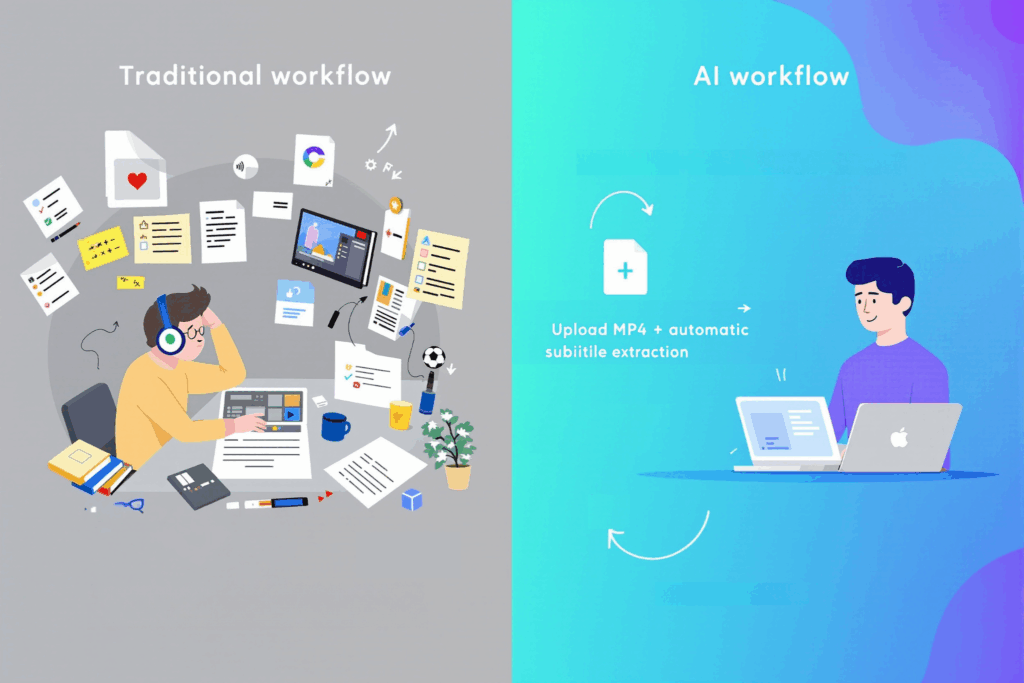
How to Extract Subtitles from Video and Convert MP4 to SRT
It no longer requires manual transcription to extract subtitles from video. Modern AI platforms like AIDubbing are designed specifically for fast, accurate MP4 to SRT conversion.
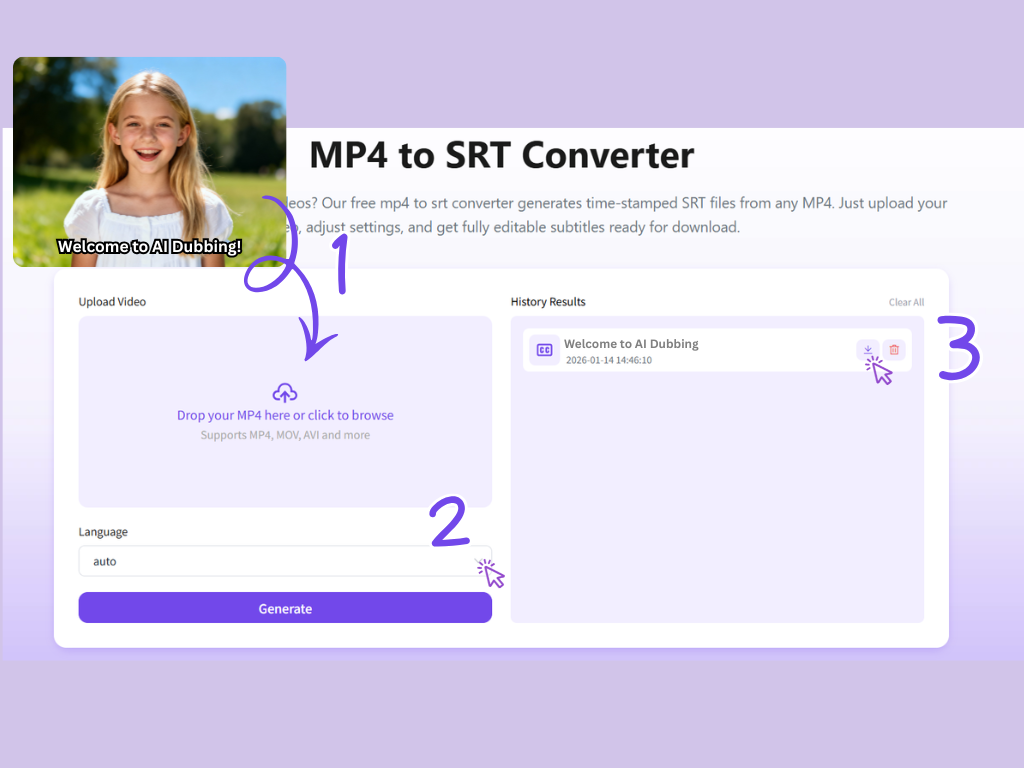
Step 1: Upload Your MP4
Start by uploading your MP4 video file.
This step matters more than it seems. Behind the scenes, the system analyzes more than just speech. It looks at:
- Speech clarity
- Speaker changes
- Natural pauses
- Sentence boundaries
This ensures that when you extract subtitles from video, the timing and structure are ready for editing or translation.
Step 2: Choose Language
This is where the magic happens:
- Select the source language to extract subtitles from video
- Or select a target language to generate translated subtitles directly
Whether your goal is just to get an SRT file or to create an instantly translated version, this step gives you flexibility. The AI ensures that line length, reading speed, and timing remain suitable for screen display.
Step 3: Download Your SRT File
Download the SRT After You Extract Subtitles from Video
- Original SRT if you want to keep subtitles in the source language
- Translated SRT if you selected a target language
Once you extract subtitles from video, your subtitles is no longer locked. It becomes reusable across platforms and regions.
Alternative Workflow: How to Translate Subtitles
Not every workflow starts with extracting subtitles from video.
In many real-world scenarios, teams already have subtitle files in hand—perhaps generated by a production partner, pulled from a previous campaign, or delivered alongside an MP4. This part of the tutorial covers a faster path for teams that already have subtitle files and only need translation.
Instead of the entire extract subtitles from video process, the subtitles translator faster, cleaner, and far more efficient.
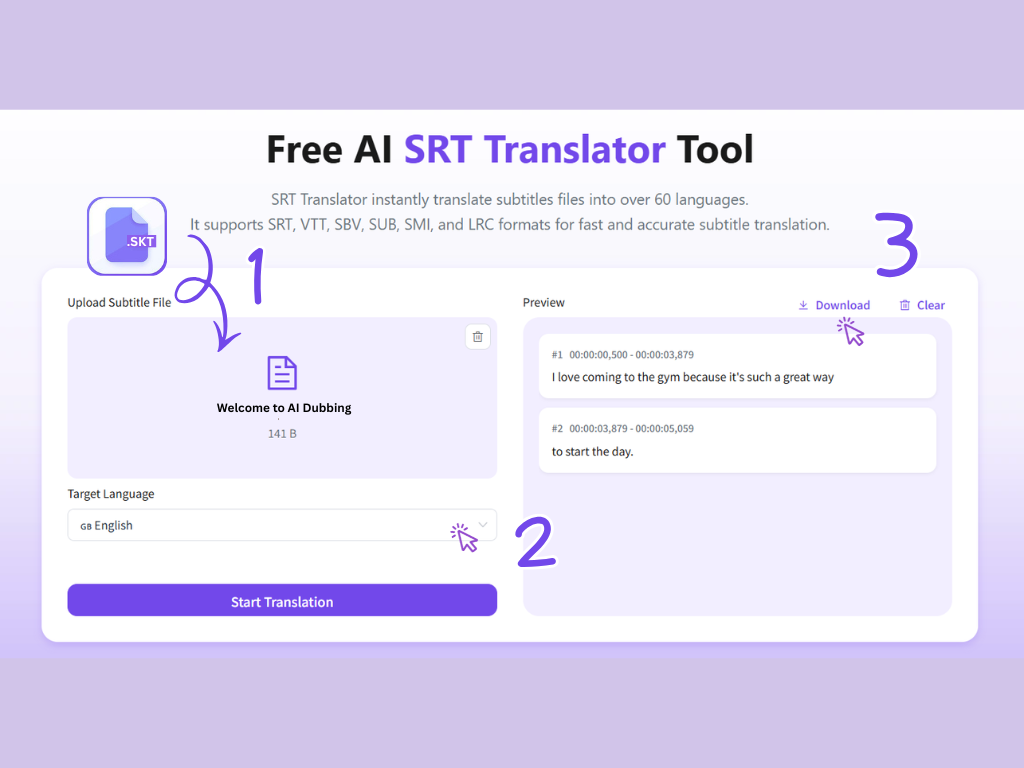
Step 1: Upload Your Existing SRT File
Start by uploading the SRT file you already have.
The subtitles translator reads both text and timecodes, preserving the original structure. This ensures that subtitle segments, line breaks, and timestamps remain intact before translation even begins.
For global teams handling large content libraries, this step avoids unnecessary duplication. There’s no need to reprocess the MP4 just to translate captions.
Step 2: Select Target Languages for Subtitle Translation
Once the SRT is uploaded, choose target language.A professional subtitles translator doesn’t simply translate text word-for-word. It adapts subtitles with awareness of:
- Reading speed
- Line length limits
- Subtitle timing constraints
This is especially important when subtitles were originally created after you extract subtitles from video in another language. Different languages expand or contract in length, and subtitle translation must respect on-screen timing.All without touching the original video file.
Step 3: Preview and Download Translated SRT Files
Before downloading, preview the translated subtitles in sync with the original timing.
Use Cases: How Teams Extract and Translate Subtitles in Practice
While their goals differ, they all start with the same need to extract subtitles from video and make content reusable across languages.
Use Case 1: Content Creator Repurposing Videos for Global Platforms
Independent creators often publish the same video across multiple platforms—YouTube, TikTok, Instagram, and short-video apps overseas.
The problem is that platform-generated captions are inconsistent and locked inside each platform. When creators want to expand internationally, they quickly realize they need full control over their subtitles.
In this scenario, the creators extract subtitles from video, With MP4 to SRT completed, they now have a clean text layer that can be reused anywhere.Instead of re-editing videos, they simply attach different subtitle files depending on the platform or audience.
Use Case 2: A Marketing Team Localizing Product Videos for Multiple Regions
In many cases, Marketing team only receives a final MP4 from an agency—no subtitle files, no transcripts. Localization stalls immediately.
By using AIDubbing to extract subtitles from video. Marketing teams extract subtitles from video once, review messaging internally, then translate subtitles for multiple regions—without re-editing the video.
Use Case 3: An Online Educator Expanding Courses to International Learners
Online education platforms rely heavily on video, but accessibility and language barriers often limit reach.
An educator may have dozens of recorded lessons , Manually transcribing each lesson would take weeks.By using tool to extract subtitles from video, the educator converts each lesson from MP4 to SRT, creating accurate, time-synced subtitles.The translated subtitles can be added without re-recording lessons or changing course structure.
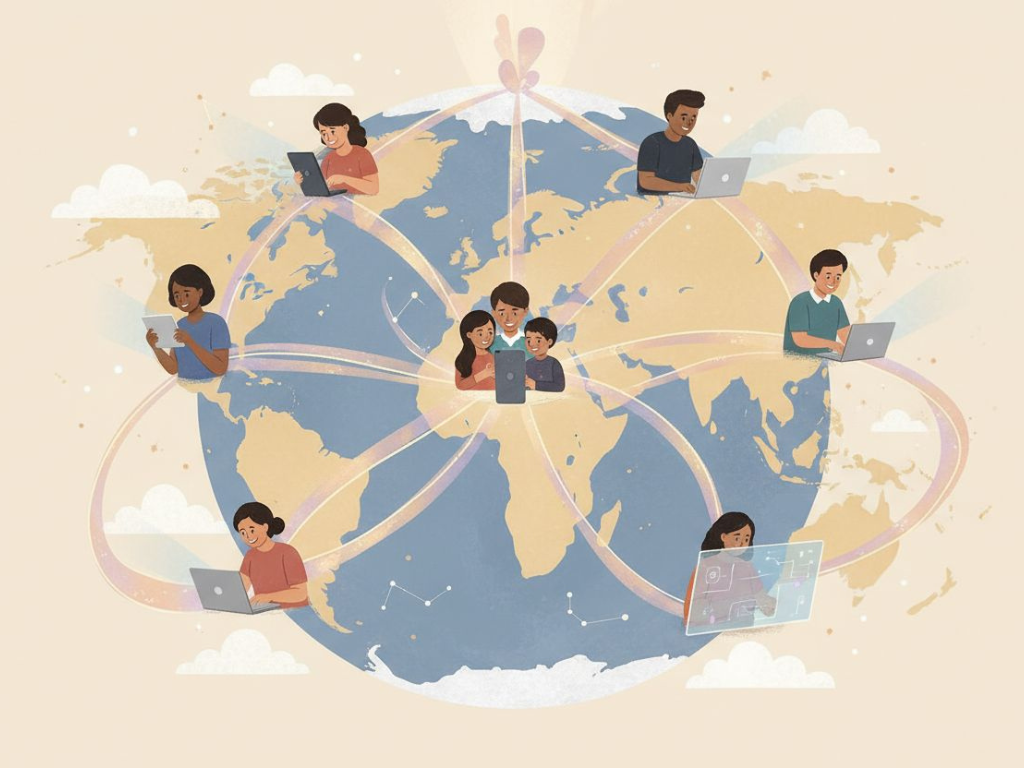
A Simpler Way to Go Global
Global video distribution does not require more videos. It requires better workflows.
By using AIDubbing to extract subtitles from video, convert MP4 to SRT, and translate subtitles accurately, you turn a single video into a scalable, multilingual asset.
- One upload.
- One subtitle file.
- Endless possibilities.
If you already have videos, you already have everything you need to go global.
You just need to unlock what’s inside them.