
Step 1: Upload Your Content
Paste text or upload a file. The podcast generator reads structured written content accurately and prepares it for audio output, making text to podcast creation smooth and reliable.
Free podcast generator for your content——Turn Files, Image and Text into Podcasts in Minutes with a fast, easy-to-use podcast generator.
Supported formats: txt, pdf, doc, docx, ppt, pptx
No records yet.
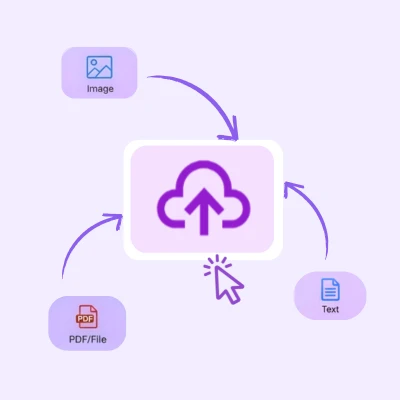
Paste text or upload a file. The podcast generator reads structured written content accurately and prepares it for audio output, making text to podcast creation smooth and reliable.
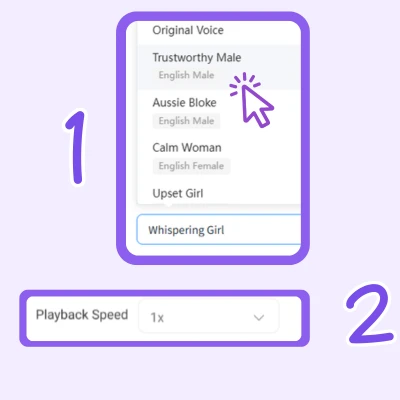
Select a voice and playback speed that fit your audience. This step helps ensure the generated podcast sounds clear and natural while keeping pdf to podcast workflows simple and repeatable.
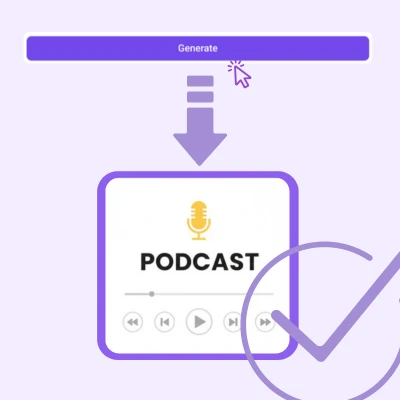
Click generate to create the podcast audio. Once ready, download the file instantly. The podcast generator produces audio suitable for publishing, sharing, or archiving.

“Using this podcast generator helped convert weekly blog posts into audio quickly. The text to podcast workflow fits content calendars without adding production delays.”

“The pdf to podcast feature makes gated reports more engaging. It helps me quickly turn training materials into podcasts that my team can listen to on the go.Audio versions increased content reach without changing existing assets.”

“AIDubbing has completely transformed the way I create podcastsShort-form audio from this podcast generator supports multi-channel campaigns. Text uploads turn into podcasts fast and stay on brand.”

“As a podcaster, I've tried several tools to generate podcasts, but none compare to AIDubbing. This podcast generator simplifies audio publishing. Text to podcast conversion removes the need for microphones or editing software.”

“AIDubbing has completely transformed the way I create podcastsThe pdf to podcast option helps share internal documentation as audio. Team members prefer listening during commutes.”

“As a beginner, this podcast generator made audio creation approachable. Clear steps and fast output support consistent publishing.It's perfect for anyone looking to create professional podcasts quickly.”