
Step 1: Upload Your Subtitle File
Upload your SRT or VTT subtitle file to our subtitle to speech converter. The tool automatically parses timestamps and text content, displaying a preview so you can verify your subtitles before conversion.
Convert subtitle files to natural speech audio instantly with AI.
Upload SRT or VTT subtitle files and generate professional voiceovers in seconds.
No records yet.
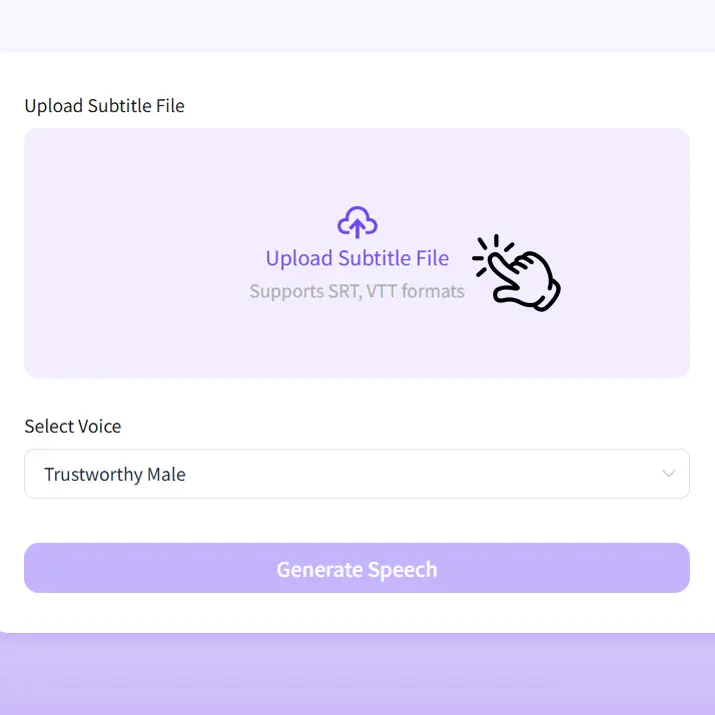
Upload your SRT or VTT subtitle file to our subtitle to speech converter. The tool automatically parses timestamps and text content, displaying a preview so you can verify your subtitles before conversion.
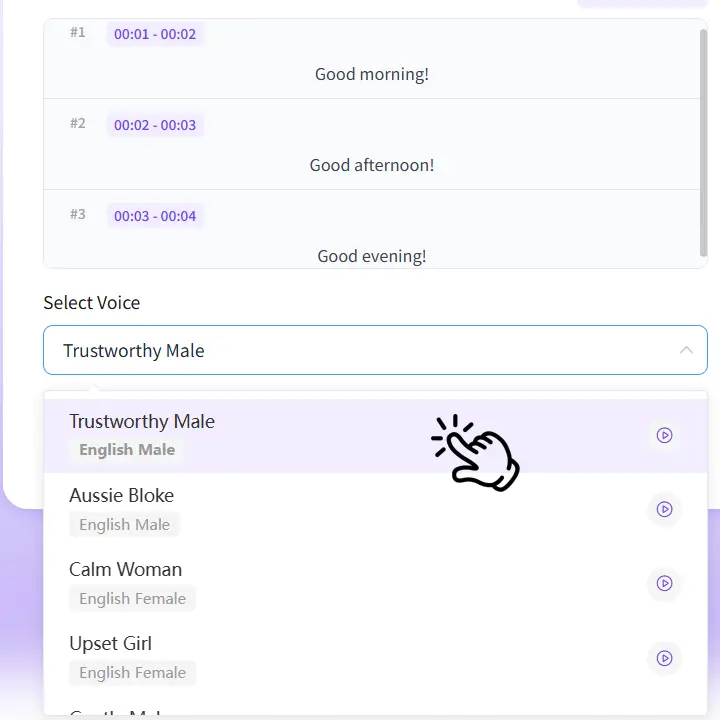
Select from our library of professional AI voices. Preview different voices to find the one that best matches your content style. Our subtitle to speech tool supports multiple languages and vocal styles.
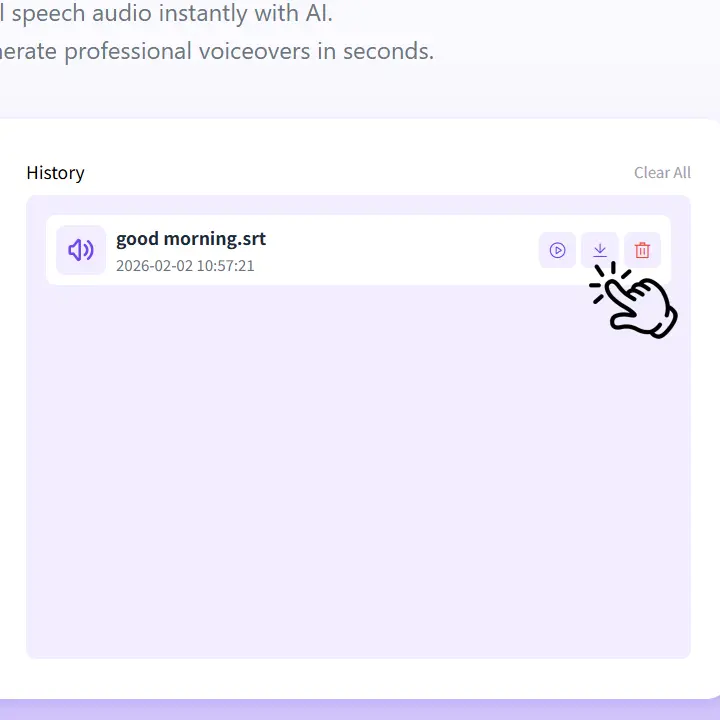
Click Generate to convert your subtitle to speech instantly. Preview the generated audio, then download the MP3 file ready to use with your video. The audio maintains perfect sync with your original subtitle timing.

“This subtitle to speech tool has revolutionized my workflow. I can now add voiceovers to foreign films and documentaries in minutes instead of hours. The AI voices sound incredibly natural, and the timing sync is perfect.”

“Converting subtitles to speech for our online courses used to be a nightmare. This tool makes it effortless—upload the SRT file, pick a voice, and done. Students love the clear, professional narration.”

“I create multilingual content and this subtitle to speech converter is a game-changer. I can generate voiceovers in different languages from my subtitle files without hiring voice actors. Huge time and cost saver!”

“We use this tool to create audio versions of video content for visually impaired users. The subtitle to speech feature ensures accurate timing, and the voice quality is excellent for professional use.”

“Perfect for creating voiceovers from my video scripts. I write subtitles first, then convert them to speech. The process is seamless, and the audio quality rivals professional recording studios.”

“Managing subtitle to speech conversion for multiple languages has never been easier. The tool handles SRT and VTT files perfectly, maintaining timing accuracy across all our localized content.”
Generate natural female AI voices for any content.
Generate realistic AI background audio and sound effects for any video.
Easily translate your audio into multiple languages.
Translate subtitle files into any language instantly.