
Step 1: Enter your text
Paste or type anything into the text box — our text to speech tool automatically supports any language, so you can input whatever you need without changing settings.
Our free Text to Speech tool delivers 400+ AI voices with emotion control.
No records yet.
Experience different styles of AI voices and find the one that suits you best
Gentle and sweet female voice, suitable for audiobooks and customer service scenarios
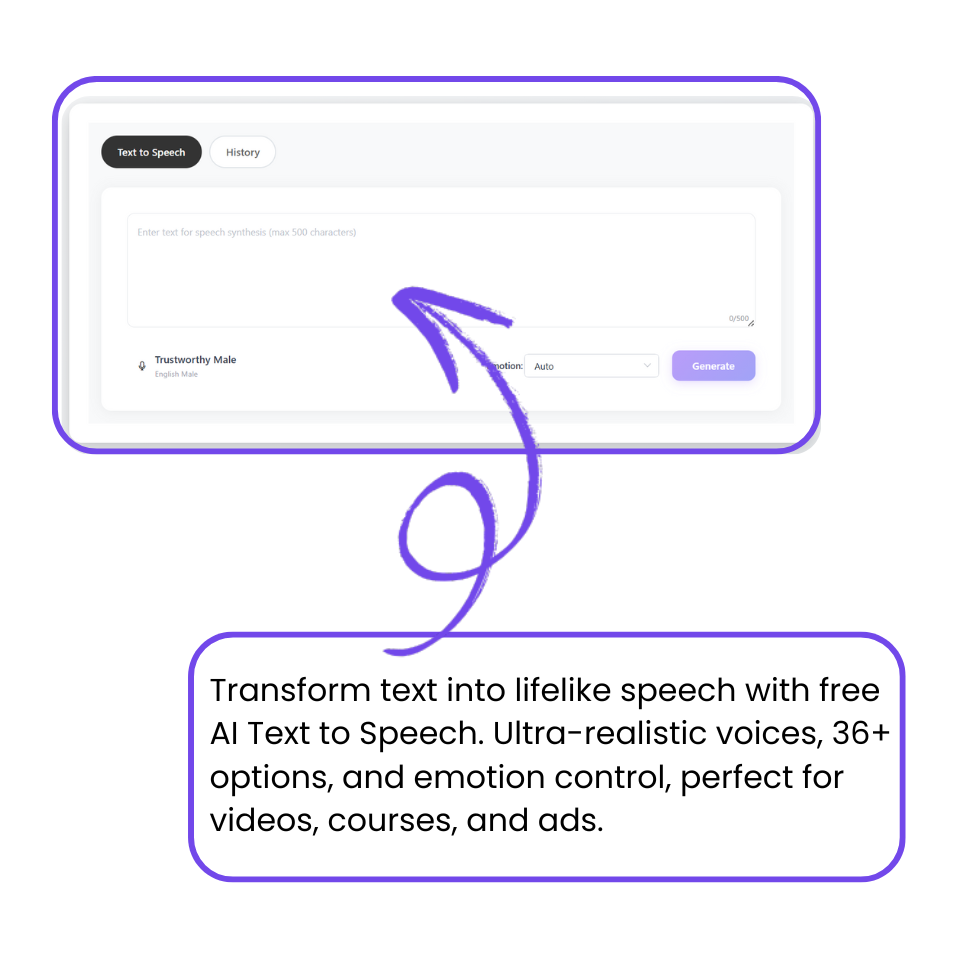
Paste or type anything into the text box — our text to speech tool automatically supports any language, so you can input whatever you need without changing settings.
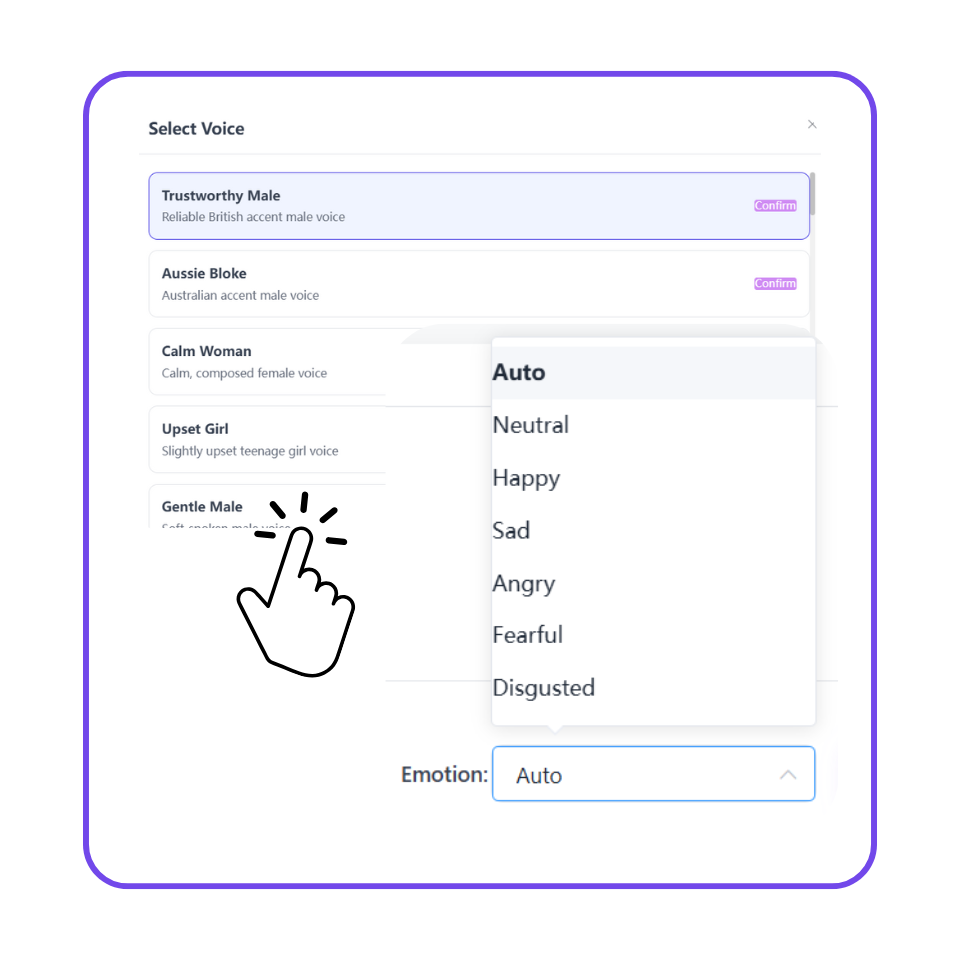
Select from 400+ AI voices (male, female, and multiple accents). Then pick the emotional style you want — happy, calm, excited, sad, or neutral — to match the mood of your content.
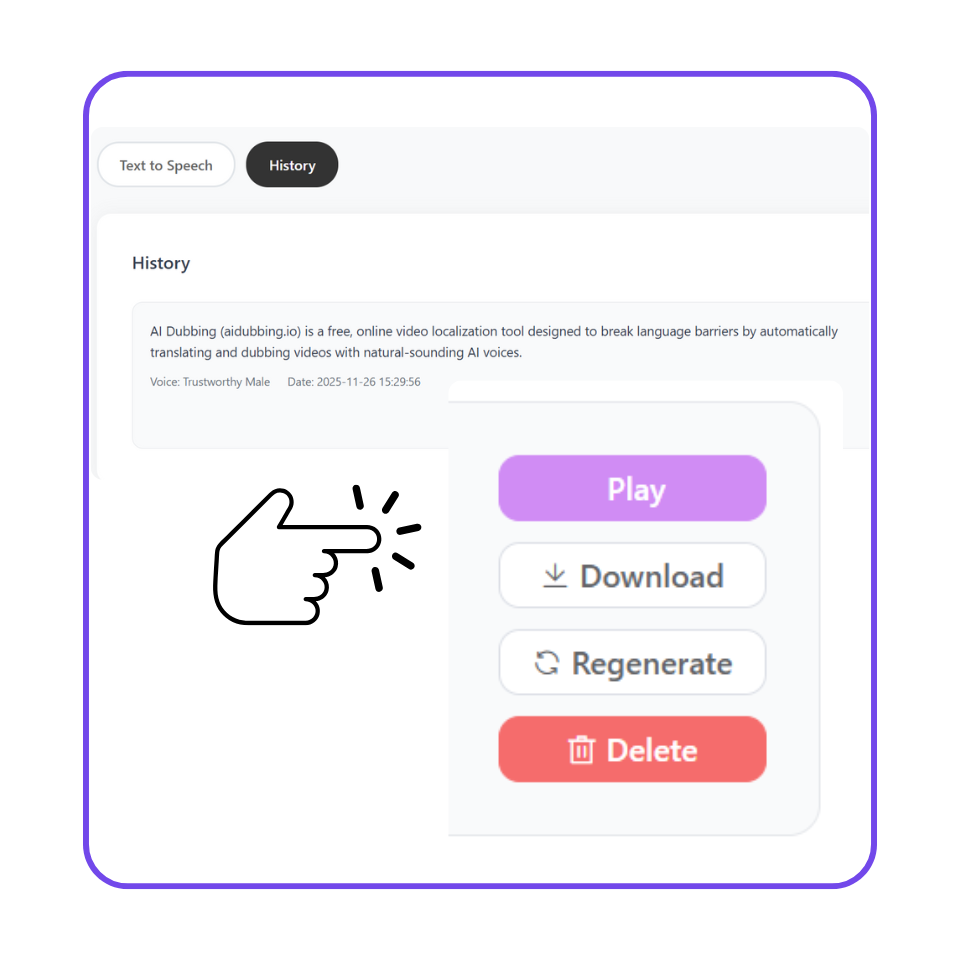
Click Generate to create natural speech instantly. Preview the audio; regenerate if needed. Once satisfied, download the MP3 directly to your device for easy offline use anytime.

“I use AI Dubbing's Text to Speech every day for my YouTube videos. It saves me from recording countless takes and dealing with background noise. The voices sound incredibly natural and professional—my viewers can't even tell it's AI. I've cut my production time in half and can upload way more frequently now.”

“Our marketing team uses this free text to speech AI tool for creating product demo videos and ad campaigns. We can generate multiple voiceover variations in different tones and languages within minutes—something that used to take days and thousands of dollars. The quality is professional broadcast-grade, and our clients are always impressed.”

“As an online educator, I needed to localize my courses into multiple languages fast. AI Dubbing's Text to Speech is incredible—I can generate course narration in 5 different languages in just a few hours instead of weeks. The emotional tone adjustment helps me make lessons sound engaging, and student engagement has definitely gone up since I switched. It's not just saving me money; it's actually making my courses better.”

“I run a daily news podcast and used to spend hours on recording and editing voiceovers. Now with Text to Speech, I can publish episodes in minutes instead of hours. The voices sound natural and consistent, which is exactly what podcast listeners want. This tool literally freed up my time to focus on what I do best—creating great content.”

“I'm a freelance video editor, and clients often need voiceovers in a hurry. This text to speech generator has become my secret weapon: I can instantly generate high-quality audio in any style they need. It's fast, easy, and best of all, no signup or cost.”

“As a full-time college student, this free AI text to speech tool helps me turn long readings into audio so I can study on the go. The voices sound natural, and switching tones makes lectures easier to follow.”